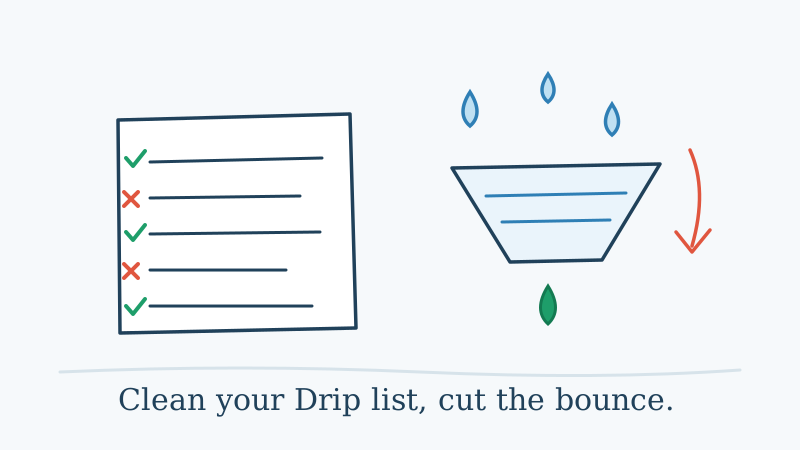
Drip is built for ecommerce. Its behavioral automation, revenue attribution, and deep Shopify and WooCommerce integrations make it a strong choice for online stores that want to turn browsing data into personalized email flows. But all of that sophistication runs on top of one thing: your list. If the list is dirty, the automations fire against dead addresses, and your bounce rate climbs.
A bounce rate above 2% tells inbox providers like Gmail and Yahoo that your acquisition or hygiene practices are sloppy. Push past 5% and you risk deliverability collapse across your whole account, not just the campaign that bounced. The usual cause is the same across every Drip account I have looked at: contacts collected through popups, checkout flows, and CSV imports that were never verified at the point of entry.
This guide walks through exactly how to clean your Drip list and keep your bounce rate under control.
Why Bounce Rate Matters More in Drip Than You Think
Drip’s whole value proposition is automation. A welcome series, an abandoned cart flow, a post-purchase upsell, and a win-back sequence might all be running at once. That means a single bad address does not bounce once. It bounces every time it hits a step in every workflow it qualifies for.
Multiply that across hundreds of stale contacts and you have a steady drip of bounce signals going out around the clock, not just when you send a manual broadcast. Inbox providers see that pattern and read it as a sender who is not paying attention. Your domain reputation falls, and even your engaged customers start landing in the promotions tab or spam.
Soft bounces (temporary failures like a full mailbox or a server timeout) are less damaging than hard bounces, but a contact that soft-bounces across several automation steps is almost certainly dead. Treat repeated soft bounces the same way you treat hard bounces: get them out of your active flows.
The Two Categories of Problem Contacts on a Drip List
Before you clean, it helps to know what you are actually removing.
Hard bounces are permanent failures. The mailbox does not exist, the domain lapsed, or the account was closed. These should never receive another email from you.
Risky and catch-all addresses are the harder problem. A catch-all domain accepts every message at the server level regardless of whether the specific mailbox is real, so standard verifiers cannot confirm deliverability in advance. They label these “unknown” or “accept-all” and hand the decision back to you. Ecommerce lists collect a lot of these, because so many small businesses run Google Workspace or Microsoft 365 with catch-all routing turned on.
For a high-volume Drip sender, “unknown” is not a useful answer. You need a tool that actually resolves whether a catch-all address is live before you commit it to an always-on automation.
Step 1: Export Your Drip Subscribers
In Drip, open People from the left navigation. Use the filter builder to create a segment of contacts with the status Active (Drip calls unsubscribed and unconfirmed contacts out separately, so you want the active, mailable cohort). You can layer in additional filters like “created before” a date or “no email opens in 90 days” to target the riskiest slice first.
Once your segment is defined, use Export to CSV. Drip includes the email address, subscriber status, tags, and any custom fields you have collected, along with engagement data you can use later.
Step 2: Validate the List with Scrubby
Upload your exported CSV to Scrubby. Scrubby specializes in verifying the catch-all and risky addresses that standard validators leave as unknowns. Instead of guessing, it probes deliverability at the mailbox level and classifies every address as deliverable, undeliverable, or risky with a confidence score.
That gives you three actionable buckets:
- Safe to send: confirmed deliverable addresses you can keep in your active automations
- Do not send: hard bounces, invalid syntax, dead domains, and known spam traps
- Risky: catch-all addresses that could not be confirmed, which you can suppress or route through a re-confirmation step first
An ecommerce list that has not been cleaned in a year typically has 15% to 30% of contacts sitting in the risky or invalid buckets. Pulling those out of your Drip workflows before the next send can cut your bounce rate sharply in a single campaign.
Step 3: Suppress Bad Contacts the Right Way in Drip
After validation, export the “do not send” addresses from Scrubby as their own CSV. In Drip, the cleanest way to handle these is to apply a tag such as invalid-email on import, then either unsubscribe or remove those contacts and, importantly, exclude that tag from every automation and broadcast segment.
Do not simply delete them and move on. If the same address re-enters through a new signup, you want a record that it was flagged. Tagging preserves that history inside Drip so a bounced address does not quietly slip back into your active flows a month later.
For the risky bucket, build a separate segment and send a single re-confirmation email before your next major campaign. Anyone who opens or clicks gets moved back into your active automations. Everyone else stays suppressed. This protects your reputation without permanently throwing away contacts that might still be real.
Step 4: Validate at the Point of Entry
Cleaning an existing list is a one-time repair. The durable fix is stopping bad addresses from entering Drip in the first place.
Drip’s native forms and its Shopify and WooCommerce integrations feed new contacts in continuously, and none of them validate deliverability by default. You can connect Scrubby’s API to your signup forms and checkout capture so each address is checked the moment it is typed. The verdict comes back in under a second, letting you block an invalid address or prompt the shopper to fix an obvious typo before the record is ever created.
For ecommerce specifically this is the highest-leverage integration you can add. Checkout fields and abandoned cart capture are the single largest source of bad email data on most online stores, precisely because shoppers rush through them.
Step 5: Set a Cleaning Cadence
Even a healthy list decays. Industry data puts email list decay at roughly 20% to 25% per year as people change jobs, abandon old free accounts, or stop checking an address entirely.
For most Drip accounts a quarterly clean is the right baseline. Stores running aggressive paid acquisition that pushes large volumes of new contacts into Drip every week should move to monthly. A useful trigger for an unscheduled clean: the first campaign where your bounce rate crosses 1.5%. That is early enough to act before the damage compounds across your always-on flows.
Pairing Drip’s Engagement Data with Validation
One tactic ecommerce senders underuse is combining Drip’s engagement scoring with external validation. Drip already tracks opens, clicks, and purchase history. Filter for contacts with a low engagement score and no purchase in the last 180 days, and you have isolated your highest-risk cohort for stale or invalid addresses.
Run just that segment through Scrubby ahead of a big send like a Black Friday or product launch broadcast. You validate the fraction of the list most likely to cause problems rather than re-checking your entire database, which keeps costs down while still protecting deliverability where it matters most. If you also run cold or outbound outreach alongside your Drip flows, a booking-focused tool like Kali works better against a validated list too, since every dead address you remove is one less wasted send.
What a Clean Drip List Looks Like
After a proper clean you should see:
- Bounce rate under 1% on most campaigns and automation steps
- Higher open rates, because a tighter, more engaged list lifts the percentage who actually open
- Lower spam complaint rates, since fewer accidental or fake signups are receiving your email
- Steadier inbox placement, because Gmail and Yahoo reward senders whose lists show consistent engagement
The link between list quality and deliverability is direct. Every invalid address you remove nudges your sender score up, and those gains compound over the months that follow.
A Note on Catch-All Addresses in Ecommerce
Ecommerce lists carry a higher share of catch-all addresses than most B2B lists, because so many small merchants and their customers sit on domains with catch-all routing enabled. Standard verifiers mark these as unknowns and tell you to skip them. That advice is safe but expensive: it means excluding a meaningful chunk of your real, buying customers from your campaigns.
Scrubby’s catch-all verification actually tests these addresses to determine whether they are live, so you can mail the ones that are genuine while suppressing the ones that are not. For an ecommerce brand running Drip, validating your catch-all contacts is usually the single highest-ROI action available on the email side of the business.
Summary
Cleaning your Drip list is not complicated, but it does demand the right tool. Standard validators leave too much value on the table by writing off catch-all addresses as unknowns. A specialist like Scrubby resolves that ambiguity and hands you a cleaner, more actionable list.
The process: export the right segment from Drip, validate with Scrubby, tag and suppress the bad addresses, add real-time validation at every point of entry, and set a quarterly cleaning cadence. Do that consistently and your bounce rate stays low, your sender reputation stays healthy, and your always-on ecommerce flows keep landing where they should.

Kristel K.
Content Strategist