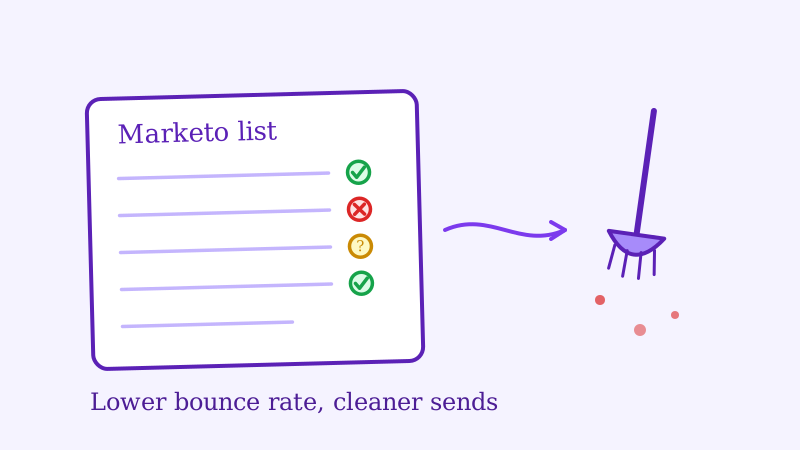
Adobe Marketo Engage runs the demand generation engine for thousands of B2B companies, but it is unforgiving about bounces. Every hard bounce flips a lead’s Email Invalid field to true, pulls that person out of your marketable database, and chips away at the sender reputation Marketo shares across your instance. Let too many bounces accumulate and your emails start landing in spam even for the buyers who asked to hear from you.
The root cause is almost always the same: a database full of B2B addresses that were never validated properly. This guide walks you through cleaning your Marketo list step by step, with special attention to the catch-all corporate domains that trip up standard verification tools.
Why Bounce Rate Hits Harder in Marketo Than in a Typical ESP
Marketo is built for B2B, and B2B email is where bounce problems get expensive. Your database is packed with work addresses at companies that use catch-all mail servers, employees who have changed jobs, and leads imported from webinars, trade shows, and third-party lists years ago.
When one of those addresses hard bounces, Marketo does not just skip it next time. It sets the Email Invalid flag, records an Email Invalid Cause, and excludes the record from future sends unless you deliberately reset the flag. That protects your reputation, but it also means a dirty import can silently strip thousands of leads out of your marketable universe. Marketing then reports a shrinking database while sales wonders why nurture reach keeps dropping.
Worse, Marketo pools sender reputation across your whole subscription. A single business unit blasting an unvalidated list can degrade inbox placement for every program in the instance. Cleaning your list is not housekeeping, it is protecting a shared asset.
Common Sources of Bad Emails in a Marketo Database
Before you clean, it helps to know where the bad addresses come from:
- Trade show and event scans: Badge scanners and lead-retrieval apps are notorious for typos and half-captured addresses.
- Content syndication and purchased lists: Third-party lead sources often deliver addresses that have never been engaged or confirmed.
- Catch-all corporate domains: Many B2B companies route every address to a catch-all inbox. Standard validators mark these as valid, but a large share bounce in practice.
- Job changers: In B2B, contacts leave companies constantly, and their old work addresses go dead without any signal to you.
- Form fills with typos:
gmial.com,outlok.com, and fat-fingered company domains slip past basic form validation every day.
Step 1: Build a Smart List of Sendable Leads to Export
In Marketo, create a new Smart List and add filters to isolate the records you actually want to clean. A practical starting point:
Email Address is not emptyEmail Invalid is false(you are cleaning the addresses Marketo still thinks are good)Unsubscribed is false- Optionally,
Person SourceorCreated Atto target a specific risky import
Run the Smart List, then use the Export Leads option to download the records as a CSV. Include the email address and a unique identifier such as the Marketo lead ID so you can match results back cleanly on reimport.
Step 2: Validate the List with Scrubby
This is the step that actually moves your bounce rate, and it is the step most Marketo admins skip.
Scrubby specializes in validating the catch-all and risky B2B addresses that standard validators leave as “unknown.” Most verification tools see a catch-all domain, shrug, and label it accept-all without telling you whether the specific mailbox exists. Because so much of a Marketo database is corporate email, that blind spot is exactly where your bounces hide.
Upload your exported CSV to Scrubby, let the verification run, and download the results. Each address comes back tagged as valid, invalid, risky, or catch-all with a deliverability probability score.
Remove any address tagged invalid before it ever bounces in Marketo. For risky and catch-all addresses, use the probability score as your threshold. A common practice is to suppress anything below 70% probability for high-stakes programs like operational emails or executive nurture, where a bounce is especially costly.
Step 3: Segment Your Results by Risk Level
Once you have the Scrubby output, split the contacts into three groups before touching Marketo again:
- Safe to send: Valid addresses with high deliverability scores. These stay fully marketable.
- Monitor closely: Catch-all addresses above your probability threshold. Keep them, but watch their bounce and engagement after the next send.
- Suppress immediately: Invalid addresses and anything below your threshold. Do not send to these.
This tiered approach protects your sender score without forcing you to delete borderline leads that your sales team may still want in the CRM.
Step 4: Update Marketo Instead of Blindly Reimporting
Reimporting a cleaned CSV over an existing database can create duplicates or overwrite good data, so be deliberate. Two clean options:
- Flag and suppress with a field: Import the Scrubby results into a custom field such as
Validation Status, matching on Marketo lead ID. Then build a Smart Campaign that setsEmail Invalidto true (or moves the lead to a suppression segment) for every record marked invalid. This keeps the lead in your CRM for sales while removing it from marketing sends. - Reset false positives: If Scrubby confirms an address is valid but Marketo previously flagged it as invalid from a soft bounce, you can safely reset
Email Invalidto false to bring an engaged lead back into your marketable base.
Always test your import and Smart Campaign logic on a small sample first. A misconfigured flow that flips flags across your whole database is far harder to undo than to prevent.
Step 5: Add Validation at the Point of Entry
Cleaning the existing database fixes history. To stop the problem from recurring, validate addresses as they enter Marketo.
- Turn on double opt-in for your public forms so new subscribers confirm before joining an active program.
- Validate high-volume lead sources, such as content syndication feeds and event lists, with Scrubby before they are imported rather than after they bounce.
- Use Marketo form validation and progressive profiling to catch obvious typos at submission.
Entry-point validation typically trims raw list growth, but the leads you keep are far more engaged and far less likely to bounce, which is exactly what Marketo rewards.
Step 6: Run a Re-engagement Program Before Deleting Inactives
Inactive leads, those who have not opened or clicked in 90 to 180 days, inflate your database size and drag down engagement rates without contributing pipeline. Build a simple Marketo engagement program:
- Send a “still want to hear from us?” email inviting a click to confirm interest.
- Wait 7 days. If there is no engagement, send a final “last chance” email.
- If still nothing after another 7 days, move the lead to a marketing-suppressed segment.
You recover a slice of genuinely interested buyers while removing the dead weight that quietly erodes your open rates and inbox placement.
How Often Should You Clean Your Marketo Database?
For most B2B teams, a quarterly validation cycle keeps bounce rates in check. If you run aggressive demand generation or ingest purchased and syndicated lists, validate every new batch with Scrubby before it touches your instance. High-volume senders should validate monthly.
The clear signal to clean right now: if your last major Marketo campaign showed a bounce rate above 1.5%, or if your Email Invalid count has been climbing month over month, run a full validation before your next send.
Pairing List Hygiene With Pipeline Generation
List hygiene is one layer of a healthy demand engine, not the whole thing. Also review your SPF, DKIM, and DMARC records, your sending volume ramp on any new domains, and your unsubscribe rate alongside your bounce rate.
For teams that want pipeline without leaning entirely on email volume, tools like Kali book demos through calendar invite outreach, which sidesteps the deliverability ceiling altogether. And if you would rather outsource the full go-to-market motion, Vendisys runs outbound programs end to end so your Marketo instance stays clean and focused on nurturing real buyers.
Summary
Cleaning your Marketo Engage database comes down to five moves: build a Smart List of sendable leads and export it, validate with a tool like Scrubby that resolves the catch-all B2B addresses others skip, segment by risk, update Marketo with a field-driven Smart Campaign rather than a blind reimport, and validate new leads at the point of entry. Do this before your next campaign and your bounce rate drops, your marketable database stops leaking, and your shared sender reputation stays healthy across the whole instance.

Amit S.
Marketing Lead