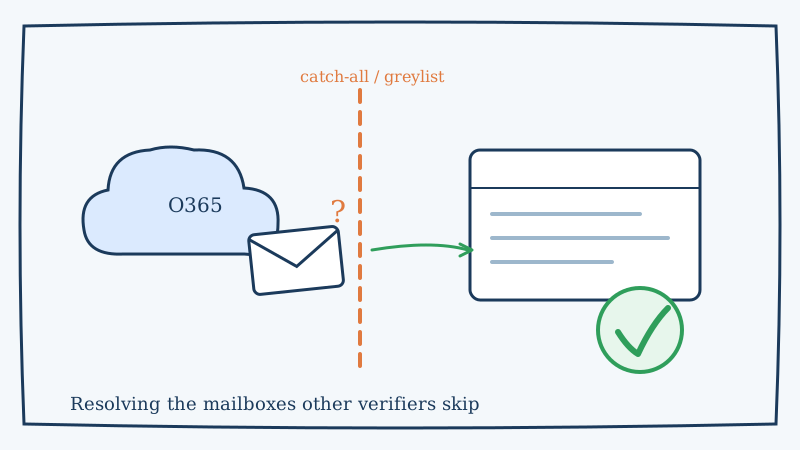
If you send B2B email, a large share of your list sits on Microsoft infrastructure. Office 365 (now Microsoft 365) and Outlook power the mailboxes of most mid-market and enterprise companies, which means the quality of your verification on those domains quietly decides how much of your list is actually usable.
Here is the catch: Microsoft domains are some of the hardest addresses to verify accurately. Run a Microsoft-heavy list through a standard bulk checker and you will see a wall of “unknown,” “accept-all,” and “catch-all” results. Those are not junk addresses. They are just mailboxes the verifier could not resolve, and most of the time real buyers are hiding inside that bucket.
This guide explains why Office 365 and Outlook are so difficult to verify, what happens when you guess, and how to confirm those mailboxes without tripping Microsoft’s defenses.
Why Office 365 and Outlook break normal verification
Standard email verification leans on the SMTP handshake. The verifier opens a conversation with the receiving mail server and issues an RCPT TO command for the address in question. On a cooperative server, a rejection means the mailbox does not exist and an acceptance means it does. Simple enough.
Microsoft 365 does not cooperate. Several defenses get in the way at once:
- Catch-all (accept-all) configuration. Many Microsoft-hosted domains are set to accept mail for every address at the domain, then sort or discard it internally. The server says “yes” to
RCPT TOno matter what you ask for, so the verifier cannot tell a real mailbox from a typo. - Greylisting. Microsoft frequently issues a temporary
4xxdeferral on first contact from an unknown sender. A legitimate mail server retries later, but a verifier that only probes once reads the deferral as an inconclusive result and gives up. - Rate limiting and connection throttling. Hammer Microsoft’s servers with rapid verification probes and they slow you down, tarpit the connection, or block the probing IP entirely. That protects their infrastructure and wrecks a naive verifier’s accuracy.
- Shared tenant behavior. Because so many organizations sit on the same Microsoft backend, the responses are deliberately uniform and vague. Microsoft has little incentive to leak which specific mailboxes exist.
Put those together and the honest answer a basic verifier can give is “I do not know.” That is exactly why Microsoft-heavy lists come back with so many catch-all and unknown verdicts.
The real cost of guessing on Microsoft domains
When a verifier returns “unknown” on a chunk of your list, you are forced into one of two bad decisions, and both cost money.
Option one: delete the unknowns. Safe for your bounce rate, brutal for your pipeline. On a B2B list, the Office 365 segment is often where your highest-value accounts live. Deleting every unresolved Microsoft address means throwing away real decision-makers because a tool could not read the server’s response.
Option two: send anyway. Now you are gambling. Some of those addresses are dead, and every hard bounce chips away at your sender reputation. Microsoft’s filters are unforgiving: a spike in bounces or spam complaints from a cold sender can land your whole domain in the Junk folder across every Microsoft tenant you touch. One sloppy send can suppress deliverability for weeks.
The math gets worse at scale. If Microsoft mailboxes make up 40 percent of a 50,000-contact list and a verifier marks half of them “unknown,” that is 10,000 contacts stuck in limbo. Delete them and you have shrunk your reachable audience by a fifth. Send to them blind and you risk the deliverability of the other 80 percent. Neither is acceptable, and neither is necessary.
How to verify Office 365 and Outlook addresses the right way
Resolving Microsoft mailboxes takes more than a single SMTP probe. The techniques that actually work look a lot more like a patient, well-behaved mail server than a scanner racing through a list.
1. Respect greylisting with intelligent retries
Because Microsoft defers unknown senders on first contact, a one-shot probe will almost always fail. Effective verification waits out the deferral window and retries on a schedule that mirrors how a real sending server behaves. Give the receiving server time and the second or third attempt often returns a clean answer instead of a shrug.
2. Warm, distributed sending infrastructure
Microsoft throttles and blocks IPs that behave like scanners. Verification that holds up on Microsoft domains runs from reputable, warmed IP ranges and spreads probes across them, pacing requests so the pattern reads as legitimate mail rather than a brute-force sweep. This is the piece most cheap bulk verifiers skip, and it is why their Microsoft accuracy collapses.
3. Behavioral and pattern analysis for catch-all domains
When a domain accepts every address, the SMTP response alone tells you nothing. Resolving those mailboxes requires layered signals: how the server responds to known-invalid probes versus the target address, mailbox-level behavior over multiple touches, and historical data on how that specific domain treats verification traffic. This is the core of true catch-all verification, and it is the gap between “accept-all, good luck” and an actual valid-or-invalid verdict.
4. Validate the fundamentals first
Before any of the hard work, confirm the basics: correct syntax, a live domain, and published MX records pointing at Microsoft’s mail servers. Clearing out the obviously broken addresses up front means you spend the expensive, careful verification only on the mailboxes that genuinely need it.
Where Scrubby fits
Most verifiers are built for speed on easy mailboxes. Scrubby is built specifically for the addresses they give up on: catch-all domains, greylisted servers, and risky mailboxes, which is exactly the profile of a typical Office 365 or Outlook list.
Instead of labeling a Microsoft mailbox “accept-all” and moving on, Scrubby works the address the way a careful sender would. It retries through greylisting, paces its probes across warmed infrastructure so Microsoft does not throttle it, and layers behavioral signals to reach a real valid-or-invalid decision on domains that defeat single-probe tools. The result is that the Microsoft segment of your list, the part that usually gets deleted or gambled on, becomes usable again.
That matters most when the Microsoft addresses are your best accounts. If you are running targeted cold outreach and pairing it with a channel like calendar-invite booking through Kali, the difference between reaching a verified decision-maker and bouncing off a dead mailbox is the difference between a booked meeting and a damaged domain. Cleaning the list before it ever hits your sending platform protects both.
A practical workflow for Microsoft-heavy lists
If a big part of your list sits on Office 365 and Outlook, build verification into the process instead of treating it as a one-time cleanup:
- Segment by provider. Identify which contacts resolve to Microsoft mail servers by their MX records. That segment needs the careful treatment, not the fast lane.
- Verify before every major send, not just once. Mailboxes decay, employees leave, and catch-all settings change. A list that was clean last quarter is not clean today. Lists go stale faster than most teams expect.
- Route the unknowns to a catch-all specialist rather than deleting them. This is where you recover the real buyers that ordinary verifiers wrote off.
- Warm your own sending domain in parallel. Even a perfectly clean list underperforms if your sending reputation with Microsoft is cold.
- Monitor bounces and complaints after each send and feed what you learn back into the next verification pass.
The bottom line
Office 365 and Outlook are hard to verify by design. Catch-all configuration, greylisting, and aggressive throttling are all working against the single-probe approach most tools rely on, which is why Microsoft-heavy lists come back drowning in “unknown.” But “unknown” is a limitation of the tool, not a fact about the mailbox.
With patient retries, warmed and distributed infrastructure, and real behavioral analysis of catch-all domains, those addresses can be resolved cleanly, without bouncing off Microsoft’s defenses or torching your reputation in the process. That is the exact problem Scrubby was built to solve, so the highest-value part of your list stops being the part you are afraid to email.

Amit S.
Marketing Lead