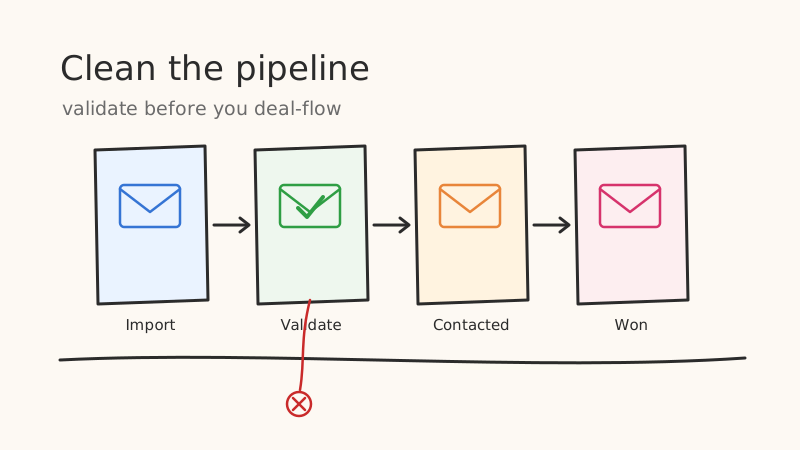
Pipedrive is built to move deals forward, not to guard the quality of the email addresses attached to them. That gap is where the trouble starts. Every contact that enters your pipeline through a web form, an imported list, or a rep typing notes after a call brings an email address that may or may not actually receive mail. When a sequence fires against those addresses, the bounces do not stay contained inside Pipedrive. They flow straight into your sending domain and start eroding the reputation that every future email depends on.
The fix is not a quarterly cleanup scramble. It is a habit of validating email addresses at the two moments that matter: when a contact enters Pipedrive, and before any campaign goes out the door. This post walks through both, plus how to think about the “unknown” and catch-all addresses that Pipedrive will never flag for you.
Why Pipedrive Contacts Go Bad in the First Place
Pipedrive does not verify email deliverability. It stores whatever string lands in the email field, whether that came from a legitimate typo-free signup or a scraped list of guesses. Bad addresses accumulate through a handful of predictable channels.
- Manual entry after calls and meetings. A rep hears “jsmith at acme dot com” on a call and types “[email protected]” when the real address is “[email protected].” The deal advances, the follow-up bounces.
- Web form and Leadbooster captures. Prospects mistype their own address, or drop in a disposable inbox to grab a lead magnet without hearing from sales again.
- Bulk imports from events and lists. Trade show badge scans, purchased lists, and partner referrals are notorious for stale and fabricated addresses. A list compiled eighteen months ago has already decayed by roughly a quarter.
- Job changes and domain churn. Even a perfect address goes dead when the person leaves the company. B2B email lists degrade at around 2 to 3 percent per month with no action from anyone.
None of these show up as errors in Pipedrive. The contact looks complete. The problem only surfaces as a bounce after you have already spent sending reputation to discover it.
The Cost of Skipping Validation
A single bounce feels harmless. The compounding effect is not. Mailbox providers like Gmail and Outlook watch your bounce rate as a core signal of sender legitimacy. Once your hard bounce rate climbs past roughly 2 percent, providers begin routing more of your mail to spam, and above 5 percent some will throttle or block your domain outright.
That means the invalid addresses sitting quietly in Pipedrive are not just wasted rows. They actively suppress the deliverability of the good addresses in the same send. Your carefully written sequence to a valid prospect lands in spam because it shared a batch with fifty dead inboxes. Running your contacts through a validation pass with a service like Scrubby before they enter a sequence removes that drag and keeps your inbox placement intact.
Step 1: Validate Contacts as They Enter Pipedrive
The cheapest bad address to deal with is the one you catch before it becomes a record. Proactive validation at the point of entry keeps your pipeline clean continuously instead of oscillating between dirty and freshly scrubbed.
Web forms and Leadbooster. Add real-time validation to your form flow before the submission reaches Pipedrive. When a visitor enters an address and moves to the next field, an API call checks deliverability in under a second. Invalid or disposable addresses trigger an inline “please check for typos” prompt, and only validated addresses create a Pipedrive person. This single change eliminates the largest volume source of bad data for most teams.
Rep-entered contacts. For addresses typed in manually, use Pipedrive’s webhook automation. Configure a workflow that fires when a person is created or their email field changes, sends the address to a validation API, and writes the result back to a custom field such as “Email Status.” Reps see at a glance whether an address is safe to sequence.
API-based creation. If contacts flow into Pipedrive from your own app or a middleware tool like Zapier or Make, insert a validation call in that pipeline before the Pipedrive create step. Route only deliverable addresses into the CRM and hold the rest for review.
Step 2: Clean the Contacts Already Sitting in Your Pipeline
Point-of-entry validation protects the future. It does nothing for the thousands of addresses already in Pipedrive from before you set this up. Those need a bulk pass.
- Export the segment you are about to work. Rather than validating your entire database at once, export the specific filter you are preparing to sequence, for example “open deals in the Contacted stage.” This keeps volume and cost proportional to what you actually need.
- Run the export through bulk validation. Upload the CSV to a validation service and let it classify each address as valid, invalid, risky, or catch-all. A quality validator confirms the mailbox exists rather than just checking that the domain resolves.
- Re-import the results into a status field. Push the validation verdict back into Pipedrive as a custom “Email Status” field so it lives alongside the contact and travels with every future filter.
- Suppress before you send. Build your sequence filters to include only addresses marked valid. The invalid and risky rows stay in Pipedrive for reference, but they never receive a send.
Because tools like Scrubby specialize in verifying the tricky addresses that generic checkers give up on, this pass typically recovers a meaningful slice of contacts that other validators would have written off as “unknown,” which means more real prospects reachable and fewer good leads discarded.
The Catch-All and Unknown Problem Pipedrive Cannot See
Here is where most validation efforts quietly fail. A large share of business domains are configured as catch-all, meaning the server accepts mail for any address at the domain without revealing whether the specific mailbox exists. Standard validators throw up their hands and label these “unknown” or “accept-all,” and cautious teams then delete them. That is a mistake, because catch-all domains include a huge number of legitimate corporate inboxes at exactly the companies you want to reach.
The right approach is a validator that goes beyond a single SMTP handshake to determine whether a catch-all address actually resolves to a real person. This is the specific problem Scrubby was built to solve: it verifies catch-all and hard-to-check addresses that other services abandon, so you can confidently sequence contacts that a lesser tool would have thrown away. Feeding those recovered addresses back into Pipedrive turns a pile of “unknown” dead weight into workable pipeline.
If your outreach also runs through calendar-based booking, pairing a clean Pipedrive with a tool like Kali for invite-driven demo scheduling means the meetings you book are landing in inboxes that genuinely exist, rather than bouncing before the prospect ever sees the invite.
Making It a Standing Process, Not a One-Time Cleanup
Validation only pays off if it is continuous. Set a simple rhythm:
- Real time for every new contact at the point of entry, so bad data never accumulates.
- Pre-send for every segment before it enters a sequence, so no campaign fires against decayed addresses.
- Quarterly for a full-database sweep, to catch the natural churn from job changes and domain turnover that no point-of-entry check can prevent.
Wire these three cadences into your Pipedrive workflow and your bounce rate stops being something you react to after the damage and becomes something you simply do not generate. Your reps stop burning sequences on dead inboxes, your sending domain keeps its reputation, and the pipeline metrics you report actually reflect reachable prospects rather than inflated counts of addresses that were never going to answer.
Clean data in, real conversations out. That is the whole game, and it starts with validating the email before Pipedrive ever gets to trust it.

Nick Abraham
Cold Email Expert