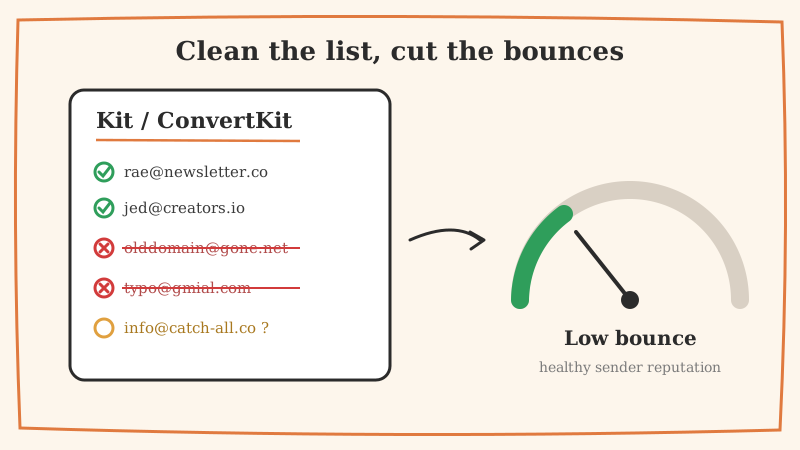
ConvertKit, now rebranded as Kit, is one of the most loved platforms for creators, newsletter operators, and course sellers. It is built around broadcasts and automated sequences, and it rewards senders who keep their audiences engaged. The flip side is that Kit is unforgiving about list hygiene. Send a broadcast to a pile of dead or risky addresses and your bounce rate climbs, your open rates crater, and mailbox providers start routing you to spam.
If your Kit dashboard is showing a bounce rate creeping past 2 percent, this guide walks you through why it happens and exactly how to fix it before your next send.
Why bounce rate matters more on Kit than you think
A bounce is Kit telling you an email could not be delivered. There are two flavors:
- Hard bounces are permanent. The mailbox does not exist, the domain is dead, or the server flat out rejected you. Kit automatically marks these subscribers as bounced and stops mailing them.
- Soft bounces are temporary. A full inbox, a server timeout, or a message that was too large. Kit will retry these, but repeated soft bounces often turn into hard bounces.
Here is the part creators miss: mailbox providers like Gmail and Outlook watch your bounce rate as a signal of how well you know your audience. A sender who repeatedly hits nonexistent addresses looks careless or, worse, looks like a spammer working off a scraped list. Once your reputation drops, even your valid, engaged subscribers stop seeing your emails in the primary tab.
Gmail and Yahoo now expect bulk senders to keep complaint and bounce signals low as a condition of inbox placement. If you want the full picture on the thresholds, our guide on reducing your spam complaint rate for Gmail and Yahoo breaks down the numbers you need to hit.
Where the dead addresses in your Kit list come from
Before you clean, it helps to understand how the junk got in:
- Lead magnet abuse. Free ebook and checklist opt-ins attract typo’d and fake emails (think
[email protected]or[email protected]). - Aging lists. Roughly a quarter of any email list decays every year as people change jobs and abandon addresses. A list you imported two years ago is already partly rotten. We cover this in depth in why email lists go stale.
- Imports from other tools. If you migrated into Kit from Mailchimp, Substack, or a spreadsheet, you likely dragged unverified contacts along with you.
- Catch-all domains. Corporate domains that accept every address at the server level but silently drop mail to nonexistent mailboxes. These are the hardest to catch and the most dangerous.
Step 1: Read your Kit bounce and engagement data
Inside Kit, filter your subscribers by status. Kit already segments bounced and complained subscribers, and those should be removed or excluded from active sends immediately. But do not stop there. The bigger risk lives among subscribers Kit still considers active.
Build a segment of people who have not opened or clicked in the last 90 to 180 days. These cold subscribers are the ones most likely to have gone dead since they signed up. They are your cleaning priority.
Step 2: Validate before you delete
The mistake most creators make is deleting cold subscribers wholesale. That throws away people who are simply between purchases or who read in the preview pane without triggering an open. A smarter approach is to validate the actual deliverability of each address, then act on the results.
This is where an external validation pass matters. A tool like Scrubby checks whether each address can actually receive mail, including the tricky catch-all domains that ordinary verifiers mark as “unknown” and skip. Scrubby specializes in validating those risky and catch-all addresses that platforms like ZeroBounce or NeverBounce leave on the table, which means you keep reachable contacts and cut only the truly dead ones. If catch-all handling is new to you, start with our explainer on why catch-all validation is the missing piece.
The workflow looks like this:
- Export your cold or unverified Kit segment as a CSV.
- Run the list through Scrubby to sort addresses into valid, invalid, and risky.
- Re-import the clean results, and tag the invalid addresses for removal.
Step 3: Remove, suppress, and re-engage the right way
Once you have your validation results, split your list into three buckets:
- Invalid or hard-bounced: Remove or permanently unsubscribe them in Kit. There is no upside to keeping an address that cannot receive mail.
- Valid but cold: Do not delete these yet. Drop them into a short re-engagement sequence. A two or three email “still want to hear from me?” flow will revive some and confirm the rest can be cut.
- Valid and engaged: Your core audience. Keep mailing them consistently.
Suppressing the dead weight before your next broadcast is the single fastest way to pull your bounce rate back under 1 percent.
Step 4: Stop the bleeding at signup
Cleaning is a cure, not a vaccine. To keep your Kit bounce rate low going forward, validate addresses at the moment they enter your world:
- Add validation to your opt-in forms so typo’d and disposable emails never make it into Kit.
- Turn on double opt-in for lead magnets, which filters out the worst fake signups automatically.
- Re-validate your full list on a schedule, quarterly at minimum, because decay never stops.
If you run cold outreach or partnership campaigns alongside your newsletter, the same discipline applies before you ever load contacts into a sequencer. Teams that book demos through calendar-invite outreach with a tool like Kali still lean on clean, verified addresses first, because a bounced invite is a wasted opportunity and a reputation hit.
The payoff
A clean Kit list is not just a lower bounce number in your dashboard. It is higher open rates, better inbox placement, lower sending costs, and a sender reputation that keeps your best subscribers actually seeing your work. Creators live and die by whether their broadcasts get read, and list hygiene is the least glamorous but most reliable lever you have.
Run a validation pass with Scrubby before your next big send, remove what cannot be delivered, and watch your Kit bounce rate settle back where it belongs.

Kristel K.
Content Strategist