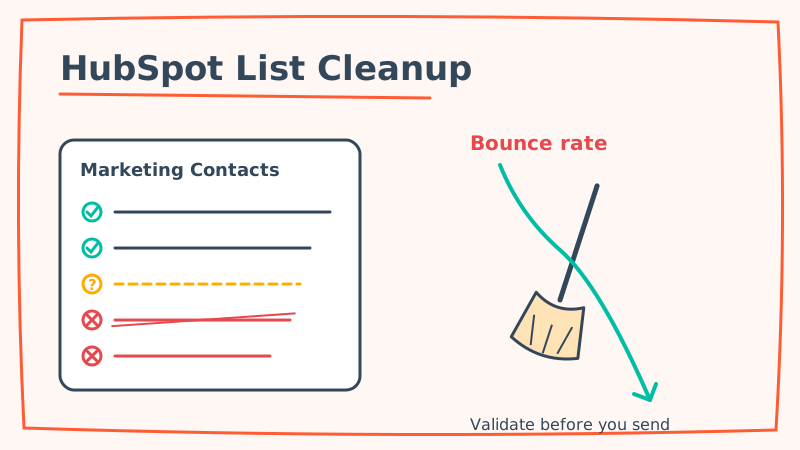
HubSpot is one of the most powerful marketing platforms on the market, but it is also one of the least forgiving when it comes to list quality. Two things make a dirty HubSpot list uniquely expensive: the platform bills you per marketing contact, so every dead address costs money, and its deliverability engine watches your bounce and complaint rates closely enough to throttle sends and flag your account.
If your bounce rate is climbing, or HubSpot has started showing warnings on your Email Health dashboard, the root cause is almost always the same. Invalid, stale, and catch-all addresses are sitting in your marketing contacts and firing on every campaign and workflow. This guide walks through exactly how HubSpot handles bounces, why cleaning your list before sending matters more here than on most platforms, and the step-by-step workflow to get your list clean.
Why Bounce Rate Hits Harder in HubSpot
HubSpot does not just send your email and forget about it. The platform monitors the health of every send and adjusts how it treats your account based on the results.
- Automatic hard bounce suppression. When an address hard bounces, HubSpot marks it as bounced and stops sending marketing email to it. That protects you going forward, but the damage to your reputation from that send has already happened.
- Send throttling and account review. A pattern of high bounce rates can trigger HubSpot to throttle your sending or place your account under review. Sustained abuse of a shared sending reputation is something every major platform polices, and HubSpot is no exception.
- The Email Health tab. HubSpot surfaces your bounce rate, spam rate, and unsubscribe rate on a dedicated health view. A bounce rate above roughly 2 percent is a warning sign, and above 5 percent you are in dangerous territory.
- Marketing contact billing. This is the part that stings. In HubSpot pricing, bounced and invalid contacts can still count toward your marketing contact tier until you actively set them to non-marketing. You are literally paying to store addresses that will never open an email.
The takeaway: a dirty list in HubSpot does not just hurt deliverability, it inflates your bill and quietly caps how many real prospects you can reach within your plan.
What HubSpot’s Native Tools Do and Do Not Catch
HubSpot gives you some built-in hygiene levers, and you should use them. But they only go so far.
HubSpot will automatically suppress addresses that have already hard bounced, and it lets you build active lists to segment out contacts who have never engaged. You can also set bounced contacts to non-marketing to stop paying for them.
What HubSpot will not do is tell you an address is bad before you send to it. Its suppression is reactive. It learns an address is dead only after a real campaign bounces off it, which means your sender reputation absorbs the hit first. HubSpot also does not resolve catch-all (accept-all) domains, which are addresses on servers configured to accept all incoming mail regardless of whether the mailbox actually exists. These addresses look valid to almost every verification tool, so they pass basic checks and then bounce when you send.
On many corporate and business-to-business domains, catch-all addresses can make up 20 to 40 percent of a list. If your HubSpot audience skews toward business contacts, a huge slice of your risk is invisible to native tooling and to most standard verifiers.
The Real Culprit: Risky and Catch-All Addresses
Most email validation tools sort addresses into three buckets: valid, invalid, and risky or unknown. That risky bucket is where catch-all addresses land, and most tools simply tell you to guess.
That is the exact gap Scrubby was built to close. Instead of labeling a catch-all address “risky” and leaving the decision to you, Scrubby performs deeper, real-inbox verification to determine whether the specific mailbox behind a catch-all domain actually exists. That means you can safely keep the deliverable contacts hiding inside your risky segment instead of deleting good leads out of caution or, worse, mailing them and eating the bounce.
For a HubSpot user, this is the difference between blindly deleting your entire risky segment (throwing away real revenue) and confidently mailing only the addresses that will actually land.
Step-by-Step: Cleaning Your HubSpot List
Here is the workflow that keeps your bounce rate low and your marketing contact count honest.
1. Export your marketing contacts
In HubSpot, navigate to your Contacts, filter to the list or segment you plan to email, and export it to CSV. If your database is large, start with the segments you actually send to most often rather than trying to clean everything at once. Prioritize any list that has not been mailed in the last 90 days, because stale lists carry the highest bounce risk from natural list decay.
2. Isolate the highest-risk segments
Before validating, use HubSpot’s filters to flag two groups: contacts with no engagement in the last six months, and contacts added through forms, imports, or third-party lists where you never confirmed the address. These are where invalid and catch-all addresses concentrate.
3. Run the list through validation
Upload your export to Scrubby and let it validate the list. Standard verifiers will clear the obvious valid and invalid addresses quickly. The value comes from how the tool handles the catch-all and risky addresses that HubSpot and lighter tools cannot resolve. You want a clear verdict on those, not a shrug.
4. Re-import and segment by result
Bring the cleaned results back into HubSpot. Update or delete the confirmed invalid addresses, and critically, set them to non-marketing so they stop counting against your marketing contact tier. Keep the confirmed-deliverable addresses (including the good ones rescued from the catch-all segment) in your active sending lists.
5. Validate at the point of entry
The cleanest list decays the moment new contacts flow in. Roughly 2 to 3 percent of a typical database goes stale every month as people change jobs and abandon inboxes. To stop the problem at the source, validate emails as they enter HubSpot through your forms and imports. If you run cold outreach into HubSpot from a separate motion, validating those addresses before they ever hit your CRM keeps the whole system clean, and pairing verified lists with a calendar-first outreach tool like Kali means you are only spending sending reputation on inboxes that are real.
Building an Ongoing HubSpot Hygiene Habit
One cleanup will drop your bounce rate immediately, but list quality is a maintenance job, not a one-time fix. Bake these habits into your workflow:
- Re-validate before every major campaign. Any list that has been sitting for more than 60 to 90 days should be revalidated before a big send.
- Validate on form submission. Catch bad and fake addresses at the point of capture so they never pollute your marketing contacts.
- Audit your marketing contact count quarterly. Move bounced and never-engaged contacts to non-marketing to keep your bill aligned with your reachable audience.
- Watch the Email Health tab. Treat any upward creep in bounce rate as an early warning, not something to fix later.
A clean HubSpot list means lower bounce rates, better inbox placement, a healthier sender reputation, and a marketing contact bill that reflects the audience you can actually reach. The addresses that quietly wreck those numbers are the risky and catch-all ones that native suppression never catches in time, and resolving them before you send is the single highest-leverage hygiene move you can make. Run your next HubSpot export through Scrubby before your next campaign and watch the bounce rate settle where it should.

Amit S.
Marketing Lead