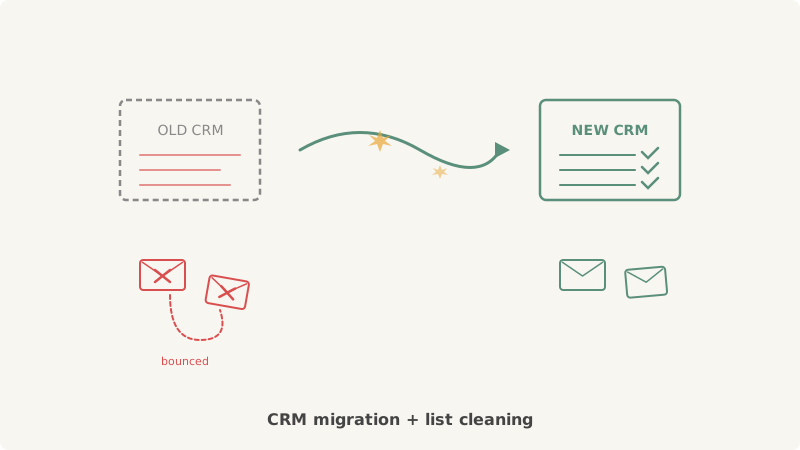
You spent months planning the CRM migration. Data mapping, field normalization, workflow rebuilds, integrations. The cutover finally happens, and your team exhales. Then marketing loads the migrated contact list into the first campaign, hits send, and within 24 hours the bounce rate crosses 5%. The domain starts getting flagged. Deliverability craters.
This is not a rare edge case. It happens to nearly every team that migrates CRMs without treating list hygiene as a critical step in the migration process. The old CRM accumulated years of contact data: leads from 2019 trade shows, prospects who changed jobs three times since they were added, domains that shut down, and catch-all addresses that quietly stopped working. All of that migrates right alongside your good data.
Why CRM Migrations Create Deliverability Risk
CRM data decays at roughly 2-3% per month. Over a multi-year period, that compounds. A list that was 95% valid when you built it might be 60-70% valid by the time you migrate it to a new system. The migration itself does not cause the decay. It just surfaces it, because teams typically run their first campaigns on the new platform against the full migrated dataset.
Three specific problems compound during a migration:
1. Duplicate and Conflicting Records
Most CRMs handle deduplication differently. Salesforce merge rules, HubSpot dedup logic, and Pipedrive contact matching all use different criteria. When you export from one system and import into another, duplicate records that were suppressed or merged in the old system can resurface as separate contacts. You end up sending two or three emails to the same person, or worse, sending to an address that was already marked invalid in the old system but lost its suppression flag during export.
2. Stale Addresses That Were Never Cleaned
Many teams never run a full list validation on their CRM. They add contacts over time, suppress hard bounces reactively, and assume everything else is fine. A migration is often the first time anyone looks at the full dataset, and by then 20-40% of the addresses may be invalid, inactive, or unverifiable.
3. Catch-All Domains With Unknown Deliverability
B2B contact databases are heavy with catch-all domains. These accept all incoming mail at the server level, so standard SMTP verification returns a positive result for every address, whether or not the specific mailbox exists. During a migration, these addresses transfer over as “valid” because no verification tool has ever been able to tell the difference. They represent a hidden bounce risk that only shows up when you actually send.
The Migration Cleaning Process
Cleaning your list after a CRM migration requires more than running it through a basic verification tool. You need a layered approach that handles each type of data quality problem separately.
Step 1: Deduplicate Before You Validate
Before touching email validation, deduplicate the migrated dataset. Use the new CRM’s native dedup tools or export the list and run it through a deduplication pass. Match on email address first, then on name-plus-company combinations to catch contacts who appear under different email addresses.
Remove any contacts that were marked as bounced, unsubscribed, or suppressed in the old CRM. If your export preserved these status fields, filter them out before importing into the new system. If the export did not preserve them (a common oversight), pull the suppression list from your old email platform separately and cross-reference it.
Step 2: Run Standard Email Verification
Pass the deduplicated list through a standard email verification service. This catches the obvious problems:
- Invalid mailboxes confirmed by SMTP response
- Domains with no MX records (company shut down or domain expired)
- Disposable and temporary email addresses
- Role-based addresses (info@, admin@, support@) that generate complaints
- Syntax errors and malformed addresses
A standard verification pass typically flags 15-25% of a migrated B2B list as invalid. Remove these before doing anything else.
Step 3: Validate Catch-All Addresses Separately
This is the step most teams skip, and it is the one that causes the most damage. After standard verification, you will have a segment of addresses marked as “catch-all,” “accept-all,” or “unknown.” On a typical B2B list, this segment represents 25-40% of the total.
Standard verification tools cannot determine whether these addresses are real inboxes or phantom addresses on domains configured to accept everything. Sending to the full catch-all segment means accepting whatever bounce rate those addresses produce.
Scrubby was built specifically for this problem. Instead of relying on SMTP probing, Scrubby uses multi-layer behavioral analysis to determine actual deliverability for each catch-all address. In a typical migrated list, Scrubby identifies roughly 40-42% of catch-all addresses as genuinely deliverable. The rest get flagged as undeliverable and suppressed before they can cause bounce damage.
For a migrated list with 10,000 catch-all addresses, that means recovering approximately 4,000 valid prospects while eliminating 6,000 addresses that would have generated bounces and hurt your sender reputation on the new platform.
Step 4: Segment by Engagement Recency
After validation, segment the surviving contacts by how recently they engaged with your emails. If your old CRM tracked engagement data (opens, clicks, replies) and you migrated those fields, use them to create tiers:
- Active (engaged in last 90 days): Safe to email immediately on the new platform
- Warm (engaged in last 6 months): Send in smaller batches with monitoring
- Cold (no engagement in 6+ months): Send in very small batches (200-500) with strict bounce monitoring, or run a re-engagement campaign before adding to regular sends
- Dead (no engagement in 12+ months, never engaged): Suppress entirely. These contacts are the highest risk for spam traps and complaints.
Step 5: Warm the New Platform Gradually
Even with a clean, validated list, do not blast the full dataset on day one of the new CRM. If you are moving to a new email sending infrastructure (new IPs, new domains, or a different ESP), the receiving mailbox providers have no history with your new sending identity.
Start with your most engaged segment. Send 500-1,000 emails per day for the first week, monitor bounce rates and spam complaints, and scale up gradually. If you are using tools like Kali for outbound sequencing, configure daily sending limits per domain and build up over 2-3 weeks.
Common Mistakes Teams Make During Migration Cleaning
Trusting the Old CRM’s “Valid” Status
Just because an address was not bounced in the old CRM does not mean it is valid today. Many addresses were added years ago and never emailed, or they were emailed infrequently enough that the old system never detected they went bad. Always re-validate the full list, regardless of historical status.
Cleaning After Import Instead of Before
Some teams import the full migrated dataset into the new CRM, start sending, and then react to bounces by cleaning. This is backwards. Every bounce on the new platform damages your sender reputation from the start. Clean before the first send, not after the damage is done.
Ignoring the Catch-All Segment
A team might run standard verification, remove the flagged invalids, and assume the rest is safe. But if 30% of the remaining list is catch-all addresses with unknown deliverability, you are still sending blind to a large portion of your contacts. The catch-all segment needs its own validation layer.
Not Preserving Suppression Lists
During migration, suppression lists (bounces, unsubscribes, spam complaints) from the old platform must be carried over and enforced in the new system. If they get lost in the migration, you risk re-emailing people who already complained or unsubscribed, which triggers immediate spam reports.
What the Numbers Look Like
Here is a realistic example of a CRM migration cleanup for a B2B SaaS company with 50,000 contacts:
| Stage | Contacts | Removed |
|---|---|---|
| Raw migrated list | 50,000 | |
| After deduplication | 43,000 | 7,000 duplicates |
| After standard verification | 34,500 | 8,500 invalid |
| Catch-all segment identified | 12,000 | (of the 34,500) |
| After catch-all validation (Scrubby) | 29,500 | 5,000 undeliverable catch-all |
| After engagement segmentation | 22,000 sendable | 7,500 cold/dead suppressed |
The original 50,000 contacts became 22,000 immediately sendable addresses. That looks like a 56% reduction, and some stakeholders will push back on “losing” contacts. But those 28,000 removed records were never going to convert. They were going to bounce, trigger spam traps, generate complaints, and destroy the sender reputation you need to reach the 22,000 real prospects.
Build Validation Into Your Post-Migration Playbook
If you are monitoring your competitive landscape with CAM, you already understand the value of proactive intelligence over reactive cleanup. Apply the same principle to your email data. Every CRM migration should include a mandatory validation phase before the first campaign send.
Document the cleaning process, save the suppression lists, and schedule re-validation every 90 days going forward. Email addresses decay constantly as people change jobs, companies merge, and domains expire. The migration is not a one-time cleanup. It is the starting point for ongoing list hygiene.
Your new CRM is only as valuable as the data you put into it. Validate first. Send second. Protect the deliverability foundation from day one.

Scrubby Team
Admin