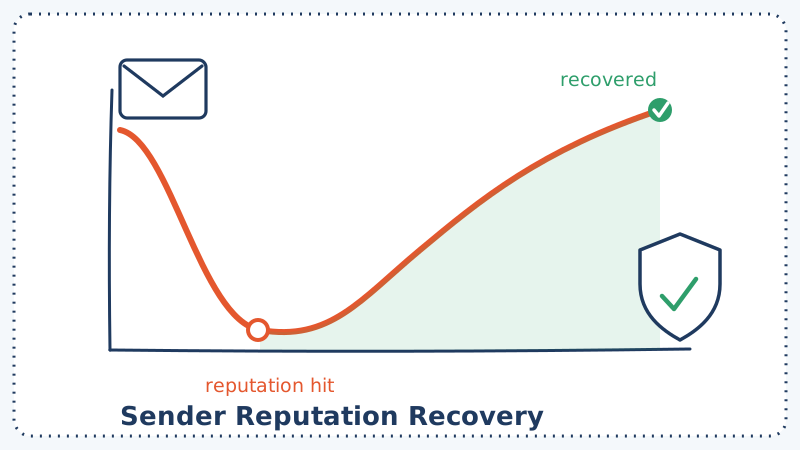
It usually happens fast. One campaign to a stale list, one spike in bounces, one wave of spam complaints, and suddenly the domain that reliably hit the inbox last month is landing in the promotions tab or the spam folder. Open rates crater. Replies dry up. The instinct is to panic and buy a fresh batch of domains. That instinct is usually wrong.
A burned domain can be rebuilt. Mailbox providers like Gmail, Outlook, and Yahoo do not hold grudges forever; they respond to recent behavior. If you show them 30 days of clean, low-complaint, low-bounce sending, your reputation score climbs back. This is a step-by-step plan to do exactly that, without abandoning the domain you have already invested in.
First, Understand What Actually Broke
Sender reputation is not a single number. It is a rolling judgment that each mailbox provider forms from signals it watches over time. The ones that matter most:
- Bounce rate. High hard-bounce volume tells providers you are mailing addresses that do not exist, which is the signature of a scraped or unmaintained list.
- Spam complaint rate. When recipients hit “report spam,” that is the single most damaging signal. Gmail and Yahoo want this under 0.3%, and problems start well before that.
- Spam-trap hits. Sending to a pristine or recycled trap address is a direct flag to blocklist operators.
- Engagement. Opens, replies, and clicks tell providers real humans want your mail. Deletes-without-open and long silences tell them the opposite.
- Authentication. Missing or broken SPF, DKIM, and DMARC makes every other problem worse.
Before you fix anything, you need to know which of these broke. Pull your data from Google Postmaster Tools and Microsoft SNDS, check whether your domain or sending IP appears on any blocklist, and look at the bounce and complaint numbers from the campaign that caused the damage. Recovery is not guesswork once you know the specific signal that tanked.
The 30-Day Recovery Plan
Days 1 to 3: Stop the Bleeding and Diagnose
The first move is to pause all sending to cold or unengaged segments. Every additional email to a bad address digs the hole deeper. While sending is paused:
- Confirm your authentication is airtight. Verify SPF passes, DKIM signs correctly, and you have a published DMARC record. If any of these are broken, fix them before you send another message.
- Check blocklists. If your domain or IP is listed on a major blocklist, submit a delisting request now, because the review can take a few days.
- Export your entire active list. You are about to clean it, and you want a clear before-and-after.
Days 4 to 7: Clean the List That Caused the Damage
This is the step most people skip, and it is the reason their recovery fails. You cannot rebuild reputation while still mailing the same broken list. The addresses that generated your bounces and complaints are still in there.
Run your full list through validation before you send another campaign. Standard verification catches obvious problems like syntax errors, dead domains, and known invalid mailboxes. The harder cases are catch-all and risky addresses, which most basic tools mark as “unknown” and leave you to guess. That guessing is exactly what burns domains. A tool like Scrubby is built to resolve those risky and catch-all addresses that other validators skip, so you can safely keep the deliverable ones and drop the rest instead of gambling on the whole segment.
When you clean, split the list into tiers:
- Safe to mail: confirmed valid, previously engaged.
- Remove permanently: hard bounces, spam-trap risks, role-based addresses you never had consent for, and anything flagged invalid.
- Suppress for now: valid but cold for 6 months or more. You will reintroduce these carefully later, not during recovery.
Days 8 to 14: Rewarm With Your Best Engagers Only
Now you start sending again, but small and smart. Reputation recovers fastest when your first post-cleanup sends go to the people most likely to open and reply. Take the top slice of your safe-to-mail list: recent openers, recent clickers, recent buyers.
Start with a low daily volume, something like 20 to 50 messages per mailbox per day, and increase gradually only if your metrics stay healthy. Send content people actually want, and make replying easy, because a genuine reply is one of the strongest positive signals you can generate. If your recovery is tied to cold outreach specifically, keep the volume conservative and lean on genuinely personalized, reply-driven sequences rather than blasts. Tools like Kali that focus on calendar-invite outreach and booked meetings reward that low-volume, high-intent approach, which is precisely the sending pattern that rebuilds trust.
During this window, watch your numbers daily. If bounce rate stays under 2% and complaints stay near zero, you are on track. If either spikes, pause and recheck your list quality before continuing.
Days 15 to 21: Widen the Circle Carefully
Once you have a week of clean metrics, begin expanding to the rest of your safe-to-mail tier. Keep increasing volume in steps, not jumps. A useful rule of thumb: do not increase daily volume by more than roughly 30% to 50% day over day, and never in response to a single good day.
This is also the point to set up a monitoring rhythm you will keep permanently:
- Check Google Postmaster Tools reputation daily. You want to see it move from “low” or “bad” toward “high.”
- Watch your complaint rate. Anything trending toward 0.1% is a warning; anything past 0.3% means stop.
- Track deliverability with seed testing if you can, so you know whether you are hitting the inbox or the spam folder, not just whether mail was accepted.
Days 22 to 30: Reintroduce Cold Segments Slowly
Only now, with three weeks of clean behavior behind you, do you touch the suppressed cold segment. And you do not mail all of it. Take a small sample, revalidate it (cold lists decay, so addresses that were valid 6 months ago may not be now), and send a light re-engagement message to that sample first.
Watch the response. If bounces and complaints stay low, expand in stages. If they spike, that segment is not worth your reputation, and you should retire it. A list that costs you the inbox is not an asset; it is a liability wearing a costume.
Habits That Keep the Domain Healthy After Recovery
Recovery is worthless if you burn the domain again in 60 days. The teams that stay in the inbox treat these as non-negotiable:
- Validate before every send. Not once a quarter. Every list, every time, especially anything imported from a form, an ad, or a third party. Wiring validation into your CRM or sending workflow so it happens automatically removes the human error that causes most relapses.
- Honor unsubscribes instantly and make the unsubscribe link obvious. A one-click opt-out is always cheaper than a spam complaint.
- Segment by engagement and stop mailing people who have gone silent for months. Sunset them on a schedule.
- Keep authentication current. Revisit SPF, DKIM, and DMARC whenever you change sending platforms.
- Monitor continuously, not just when something breaks. If you run competitor or uptime monitoring for your marketing stack with a tool like CAM, apply the same always-on mindset to your own deliverability signals.
Why List Quality Is the Whole Game
If you strip this plan down to one idea, it is this: reputation is a byproduct of who you mail. You can have perfect authentication, a beautifully warmed domain, and the best copy in your category, and a single send to a dirty list will undo all of it. Providers judge you by the addresses you choose to contact.
That is why the cleaning step in days 4 to 7 is not one task among many; it is the task. Everything else in the plan is pacing and monitoring around that central act of only mailing addresses that are real, wanted, and safe. Getting catch-all and risky addresses right (the ones generic validators shrug at) is often the difference between a recovery that sticks and one that collapses the moment you scale volume back up.
Rebuilding a burned domain takes about a month of discipline. Keeping it healthy takes a permanent habit. Start by cleaning the list that got you here, run every future list through validation with Scrubby before it ships, and give the mailbox providers 30 days of clean behavior to rebuild the trust you lost. They will.

Nick Abraham
Cold Email Expert