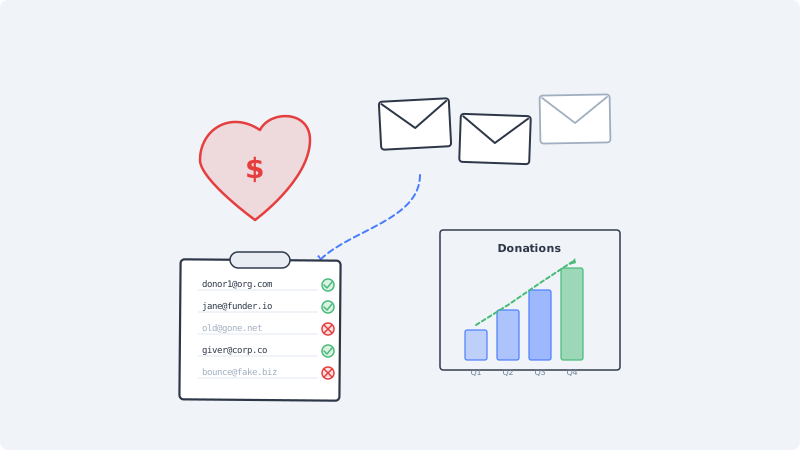
Your year-end fundraising campaign is your biggest revenue event. You have spent weeks writing the appeal, designing the emails, and segmenting your donor list by giving history. The campaign goes out to 25,000 contacts. Two days later, your email service provider flags your account. Bounce rate hit 8 percent. Half your emails landed in spam. Donations are a fraction of what you projected.
This happens to nonprofits constantly, and the root cause is almost always the same: the donor list was never validated.
Why Nonprofit Email Lists Decay Faster Than You Think
Most nonprofits treat their donor database as a permanent asset. Someone gave $50 three years ago, so their email stays in the system indefinitely. The assumption is that the address is still valid because the person once used it to make a donation.
That assumption is wrong for a significant portion of your list.
Donors change email addresses without telling you. Unlike subscription services where users update their profile, most donors have no reason to revisit your website and change their contact information. When they switch jobs, change ISPs, or consolidate personal inboxes, the email address in your CRM becomes a dead endpoint.
Annual data decay rates hit 20 to 30 percent for nonprofits. Industry data shows that email databases lose roughly 22 percent validity per year across all sectors. Nonprofits often fare worse because their contact frequency is low. If you only email donors during two or three campaigns per year, you have no engagement signals to catch invalid addresses between sends.
Event-collected emails are especially unreliable. Gala attendees, 5K race participants, and volunteer sign-up sheets all introduce email addresses that were scribbled in haste or provided with minimal intent. These addresses inflate your list size without contributing to deliverability health.
Legacy CRM migrations carry forward bad data. Many nonprofits have migrated from Raiser’s Edge to Bloomerang, from Salesforce NPSP to HubSpot for Nonprofits, or between other platforms over the years. Each migration copies stale records forward. Without validation at the migration boundary, you inherit every bad address from the previous system.
The Real Cost of Sending to Unvalidated Donor Lists
The financial impact goes beyond a single bad campaign.
Bounces destroy sender reputation. When your bounce rate exceeds 2 percent, inbox providers start routing your emails to spam. For nonprofits that rely on platforms like Mailchimp, Constant Contact, or SendGrid, high bounce rates can trigger account warnings, throttling, or suspension. Recovering sender reputation takes weeks of careful sending at reduced volume.
Spam folder placement reduces donations directly. If your year-end appeal lands in spam for 30 percent of your list, that is 30 percent fewer donors who see your message. For a nonprofit with an average online gift of $125 and a 3 percent conversion rate, losing 7,500 valid impressions means roughly $28,000 in missed donations from a single campaign.
You waste budget on dead addresses. Most email platforms charge by list size or send volume. If 15 percent of your list is invalid, you are paying to send emails that will never arrive. For a 50,000-contact nonprofit list on a mid-tier plan, that can amount to $1,200 to $2,400 per year in wasted platform costs.
Engagement metrics become unreliable. When your list includes thousands of invalid addresses, your open rates and click rates are artificially deflated. Your board sees 12 percent open rates and questions the effectiveness of email fundraising, when the real open rate among valid addresses might be 28 percent. Bad data leads to bad strategic decisions.
How to Validate Your Nonprofit Donor List
Here is the process to follow before any major campaign send.
Step 1: Export and Deduplicate
Pull your full email list from your CRM or donor management platform. Before validation, remove exact duplicates. Many nonprofit CRMs create duplicate records when donors give through different channels (online form, event registration, peer-to-peer fundraising page). Deduplication alone can reduce your list by 5 to 10 percent and save validation costs.
Step 2: Run Standard Email Verification
Pass the deduplicated list through email verification. This checks syntax errors, domain validity, MX records, and mailbox existence. For a typical nonprofit donor list that has not been cleaned in over a year, expect 10 to 20 percent of addresses to come back as definitively invalid.
Remove all hard invalids immediately. These addresses will bounce on every send and serve no purpose in your database. Archive them in a separate segment if your data retention policies require it, but never include them in campaign sends.
Step 3: Handle Catch-All Domains
After standard verification, you will have a segment of addresses that return “catch-all” or “accept-all” status. These are domains where the mail server accepts all incoming email regardless of whether the specific mailbox exists. For nonprofit lists, catch-all addresses are common because many donors use corporate email addresses from companies that run catch-all configurations.
Standard verification tools cannot determine whether a specific mailbox on a catch-all domain is real. This is where Scrubby solves a critical gap. Scrubby uses behavioral deliverability analysis to test catch-all email addresses, identifying which ones will actually receive your mail versus which are phantom inboxes that silently absorb sends without engagement.
For a 25,000-donor list with 4,000 catch-all results, Scrubby typically identifies 800 to 1,500 of those as non-deliverable. Without this step, those addresses drag down your engagement metrics and train inbox providers to treat your fundraising emails as low-quality.
Step 4: Segment and Prioritize
After validation, organize your list into three tiers for campaign deployment:
Tier 1: Verified active donors. These are confirmed deliverable addresses from donors who have given in the past 18 months. They get your primary campaign sequence with full personalization based on giving history.
Tier 2: Verified but lapsed donors. Deliverable addresses from donors whose last gift was more than 18 months ago. These enter a reactivation sequence with a different message and cadence. Monitor engagement carefully for the first send before scaling up.
Tier 3: Risky or undeliverable. Addresses flagged as invalid, high-risk, or non-deliverable catch-all. Suppress these entirely from email campaigns. If you have phone numbers or mailing addresses for these contacts, consider direct mail or phone outreach instead.
Step 5: Establish Ongoing Validation
A single cleanup is not enough. Build validation into your regular operations:
- Validate at point of collection. Use real-time email validation on donation forms, event registration pages, and volunteer sign-ups. This prevents bad addresses from entering your database in the first place.
- Quarterly list hygiene. Run your full active list through verification every quarter. This catches addresses that have gone invalid between campaigns and keeps your sender reputation stable.
- Pre-campaign validation. Before any major campaign (year-end, Giving Tuesday, spring appeal), validate the full send list even if quarterly cleaning was recent. The cost of validation is negligible compared to the cost of a failed campaign.
Timing Validation Around the Fundraising Calendar
Nonprofits have predictable campaign peaks. Here is when to schedule validation for maximum impact.
September (before year-end planning). Clean your full list before you finalize year-end campaign segments. This gives you accurate list sizes for budget projections and ensures your segmentation is based on real, reachable contacts.
Late October (pre-Giving Tuesday). Validate again two to three weeks before Giving Tuesday. Addresses that were valid in September may have changed, especially if donors switched jobs during fall hiring cycles.
January (post-campaign cleanup). After year-end campaigns, run validation on every address that received a send. Remove addresses that bounced. Flag addresses that received all campaign emails but showed zero engagement for re-verification.
Before any event-based send. Gala invitations, auction previews, and event follow-ups often use lists that mix verified donors with event-specific contacts. Always validate the full event list before sending.
Integrating Validation With Your CRM
Most nonprofit CRMs support bulk import and export, which makes validation straightforward. Here is how to handle it for common platforms.
Bloomerang and Salesforce NPSP: Export your constituent email list as CSV, run it through validation, then use the validation results to update a custom field (such as “Email Status”) on each record. Set up a smart list or report that excludes records where Email Status is “invalid” or “risky” from all campaign sends.
HubSpot for Nonprofits: HubSpot includes basic email health scoring, but it does not resolve catch-all domains. Export catch-all contacts, validate them through Scrubby, and reimport the results. Use the validation status as a contact property to build exclusion lists for workflows.
Mailchimp and Constant Contact: Both platforms charge based on list size. Removing invalid addresses before your next billing cycle directly reduces costs. Export your list, validate externally, and remove invalid addresses from your audience. For Mailchimp, use tags to mark validated contacts so you can track which segments have been cleaned.
If your outbound fundraising includes cold calendar invites to prospective major donors or corporate sponsors, tools like Kali can help you book exploratory meetings without relying solely on email deliverability.
What Validation Looks Like in Practice
Consider a mid-size environmental nonprofit with 35,000 email contacts in Salesforce NPSP. They send four major campaigns per year plus monthly newsletters. Before adopting systematic validation, their average bounce rate was 6.2 percent and their year-end campaign consistently underperformed projections.
After implementing the process above, here is what changed in one year:
- Initial validation removed 4,200 invalid addresses (12 percent of total list)
- Catch-all resolution through Scrubby identified an additional 1,100 non-deliverable addresses
- Bounce rate dropped to 0.8 percent across all campaigns
- Year-end campaign open rate increased from 18 percent to 31 percent (measured against the cleaned list)
- Online donations from the year-end campaign increased 22 percent year-over-year
- Email platform costs decreased by $180 per month after removing invalid contacts
The validation cost was a fraction of the revenue recovered from improved deliverability alone.
Common Mistakes Nonprofits Make With Email Hygiene
Relying on unsubscribe rates as a proxy for list health. Unsubscribes tell you that someone with a valid address does not want your emails. They tell you nothing about addresses that are simply invalid. A low unsubscribe rate with a high bounce rate means your list has a data quality problem, not an engagement problem.
Treating all “valid” results as safe to send. Standard verification marks an address as “valid” if the mailbox exists and accepts mail. But a catch-all domain will return “valid” for any address, even fabricated ones. If your list has significant corporate or organizational email addresses, you need catch-all resolution on top of standard verification.
Cleaning the list once and assuming it stays clean. Email data decays continuously. A list validated in January will have 5 to 8 percent new invalids by June. Ongoing validation is a process, not a one-time project.
Skipping validation for small lists. Even a 2,000-person donor list can cause deliverability problems if 10 percent of addresses bounce. Sender reputation is based on rates, not absolute numbers. A 200-bounce send from a small list damages your domain just as effectively as 2,000 bounces from a large one.
Monitoring your competitive landscape with CAM helps you understand how peer organizations position their fundraising messaging, which can inform both your campaign strategy and the segments you choose to prioritize after validation.
Start Before Your Next Campaign
If you have not validated your donor list in the past six months, your next campaign is at risk. The process takes hours, not weeks, and the ROI is immediate. Every invalid address you remove before sending is a bounce prevented, a reputation point preserved, and a dollar saved on platform costs.
Export your list today, run it through verification, resolve catch-all results with Scrubby, and send your next appeal with confidence that every email has a real person on the other end.

Scrubby Team
Admin