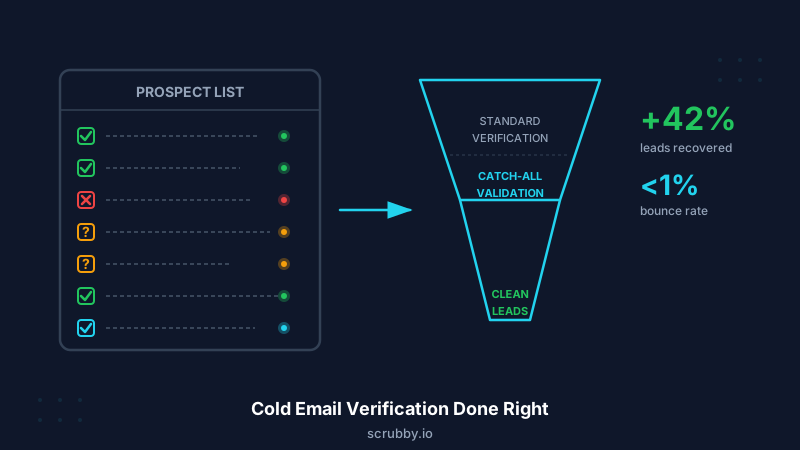
You buy 10,000 leads from a data provider. You run them through an email verifier. It comes back: 6,200 valid, 1,400 invalid, 2,400 “risky” or “catch-all.” You delete the invalids. You stare at the 2,400 unknowns. Do you send to them and risk bounces? Or discard them and lose 24% of your pipeline?
This is the daily reality for cold email teams. Standard email verification was designed for marketing lists — opt-in contacts who signed up through a form. Cold email operates in a completely different context. Your contacts never signed up. Your data is sourced from scrapers, enrichment tools, and third-party providers. And the margin for error is razor-thin because cold email deliverability is already under pressure.
The verification workflow that protects your sender reputation without torching valid leads looks different from what most guides recommend. Here’s how to do it right.
Why Cold Email Verification Is Different
Cold email has constraints that newsletter and marketing email don’t:
Your data starts dirty. Marketing lists are built from voluntary sign-ups. Cold email lists are assembled from LinkedIn scrapers, intent data providers, company databases, and manual research. Each source introduces its own error rate — typos, outdated addresses, role-based aliases, and addresses that changed when someone switched jobs six months ago.
Volume matters more. A marketing team might send 5,000 emails a month to a stable list. An outbound team runs 500-2,000 new contacts per week through sequences. That constant influx of fresh, unverified addresses creates ongoing risk that compounds fast.
Every bounce hurts more. Marketing senders have established domains with reputation history and warm IP pools. Cold email senders often run multiple domains to spread volume, and those domains are younger and more fragile. A 5% bounce rate that a mature marketing domain shrugs off can wreck a 3-month-old cold outreach domain.
Catch-all addresses dominate B2B. When you’re emailing enterprise companies, a large percentage of corporate mail servers are configured as catch-all — they accept mail to any address at the domain. Standard validators can’t tell you whether a specific mailbox exists on a catch-all domain. For B2B cold email, this isn’t a fringe case. It’s often 20-30% of your list.
The Cold Email Verification Workflow
Step 1: Pre-Filter Before You Verify
Before you spend credits running addresses through a verification service, remove the obvious junk:
- Personal email addresses (gmail.com, yahoo.com, outlook.com) — these rarely belong in B2B cold outreach. If your list has a high percentage of consumer addresses, your data source has a quality problem.
- Role-based addresses — info@, support@, sales@, admin@. These addresses may be valid, but they won’t reach a decision-maker and they frequently trigger spam complaints.
- Known bad domains — domains that don’t resolve, parked domains, and domains associated with spam traps.
- Duplicate addresses — same email appearing multiple times across different list sources.
This pre-filter typically removes 5-15% of a raw prospect list without touching your verification budget.
Step 2: Run Standard Verification
Process the remaining addresses through standard email verification. This step handles:
- Syntax validation — catches formatting errors and typos (gmial.com, @company.co instead of @company.com)
- Domain verification — confirms the domain exists, has valid MX records, and is configured to receive email
- Mailbox ping — performs SMTP-level checks to determine if the specific mailbox exists and is accepting mail
- Disposable email detection — flags temporary email services that exist for minutes or hours
Standard verification will return three categories: valid, invalid, and risky/catch-all/unknown. The first two are straightforward. The third is where cold email teams make their most expensive mistakes.
Step 3: Don’t Discard Catch-All Addresses
This is the step most cold email teams get wrong.
When a standard validator returns “catch-all” or “risky,” many teams either:
- Send to all of them — and absorb unpredictable bounce rates that damage their domain reputation
- Delete all of them — and lose 20-30% of their prospect pipeline, including senior decision-makers at enterprise companies
Both approaches are wrong. The correct approach is to validate catch-all addresses separately using a service designed specifically for this purpose.
Scrubby processes catch-all addresses through multi-layer verification that goes beyond standard SMTP checks. Instead of returning a vague “risky” label, Scrubby tells you definitively whether each catch-all address is valid or invalid. Teams typically recover 40-42% of addresses that other validators couldn’t resolve — real contacts at real companies who would have been either bounced or deleted.
For a cold email team running 2,000 new prospects per week, that’s 400-600 catch-all addresses per week. Recovering 200+ valid leads from that segment is the difference between hitting quota and missing it.
Step 4: Segment by Risk and Warm Accordingly
After verification, organize your validated contacts into sending tiers:
Tier 1 — High confidence: Addresses that passed standard verification as valid. Send at your normal cadence.
Tier 2 — Recovered catch-all: Addresses that Scrubby validated as deliverable from the catch-all pool. These are safe to send to, but monitor bounce rates for the first sends to confirm delivery.
Tier 3 — Monitor closely: Addresses from less reliable data sources, older lists, or domains with inconsistent delivery patterns. Send in smaller batches with close monitoring.
This segmentation lets you protect your sending infrastructure while still reaching your full addressable pipeline.
Step 5: Integrate Verification Into Your Outbound Workflow
One-time verification isn’t enough for cold email. You need verification integrated into your process at multiple points:
At list import: Every new list from a data provider or enrichment tool gets verified before it enters your sequences. No exceptions. If you’re using tools like Kali for your cold outreach campaigns, verify leads before they enter any email sequence — not after you’ve already started sending.
Before sequence launch: If leads have been sitting in your CRM for more than 30 days without being emailed, re-verify them. Email addresses decay at 2-3% per month. A list you verified in January is 10-15% less reliable by April.
After bounces: When an address bounces, don’t just mark it as bounced — analyze why. If you’re seeing bounces on addresses that were verified as valid, it could indicate a domain-level issue, an ESP configuration problem, or a data source that’s delivering lower quality than promised.
Domain Strategy and Verification
Cold email teams typically rotate across multiple sending domains to distribute volume and protect reputation. Your verification strategy needs to account for this:
Match verification depth to domain age. New domains (under 90 days) should only receive Tier 1 traffic — fully verified, high-confidence addresses. Even a small number of bounces on a new domain can tank its reputation before it’s established.
Track bounce rates per domain. If one domain consistently shows higher bounce rates than others despite receiving the same quality traffic, investigate. The domain may have reputation issues, or the specific ESP may be more aggressive in rejecting mail from that domain.
Don’t share problem addresses across domains. If an address bounces on one domain, don’t try sending to it from a different domain. Bounces indicate the address is bad — the sending domain isn’t the variable.
Measuring Verification ROI for Cold Email
The ROI calculation for cold email verification has two components:
Cost avoided: Every hard bounce degrades your sender reputation. Once your domain reputation drops below ESPs’ thresholds, your entire sending volume is affected — not just the emails to bad addresses. The cost of rebuilding domain reputation (new domains, warming periods, lost sending capacity) typically runs $500-2,000 per incident.
Revenue recovered: The catch-all addresses that standard validators flag as “unknown” contain real, reachable contacts. If your outbound process converts at 1-2% from email to booked meeting, and you’re recovering 200 valid catch-all addresses per week, that’s 2-4 additional meetings per week that would have been lost. At enterprise deal sizes, even one recovered deal per quarter pays for a year of verification.
Common Cold Email Verification Mistakes
Verifying once and assuming it’s permanent. Email addresses change. People leave companies, domains expire, mailboxes get deactivated. Any address older than 60 days should be re-verified before sending.
Trusting your data provider’s “verified” flag. Data providers verify at the time of enrichment, which could be weeks or months before you receive the data. Always run your own verification pass.
Treating all catch-all addresses the same. A catch-all address at a 50-person startup is different from one at a Fortune 500. The former might be a misconfigured mail server that bounces everything. The latter is likely a deliberate IT policy with working mailboxes behind it. Scrubby’s catch-all validation handles this distinction automatically, but if you’re making manual decisions about catch-all segments, company size and domain age should factor in.
Ignoring engagement signals after the first email. If an address receives your email (no bounce) but shows zero engagement across a full sequence, that’s a signal. The address may be deliverable but inactive — a forwarding alias, a shared inbox that nobody monitors, or a spam folder landing. Remove non-engaging addresses after a full sequence before recycling them into new campaigns.
Skipping verification for “small” lists. A 200-person list with a 10% invalid rate means 20 bounces. On a young domain sending 50 emails per day, that’s a 40% bounce rate over two days. Small lists with high error rates are more dangerous than large lists with low error rates because the percentage impact is concentrated.
Putting It All Together
The cold email verification stack that actually protects your deliverability while preserving your pipeline:
- Pre-filter junk addresses before spending on verification
- Standard verification to separate valid from invalid
- Catch-all validation via Scrubby to recover the 20-30% that standard tools can’t resolve
- Segmented sending based on verification confidence level
- Continuous re-verification for any address older than 30-60 days
- Per-domain monitoring to catch reputation issues early
If you’re running a cold outreach operation with tools like Kali for sequencing or Vendisys for broader marketing automation, verification isn’t a separate step — it’s the foundation that everything else depends on. Skip it, and you’re building on sand. Invest in it, and every email you send works harder because it actually reaches someone.
Your prospect list is only as valuable as the addresses that actually deliver. Scrubby makes sure you know exactly which ones will — before you hit send.

Scrubby Team
Admin