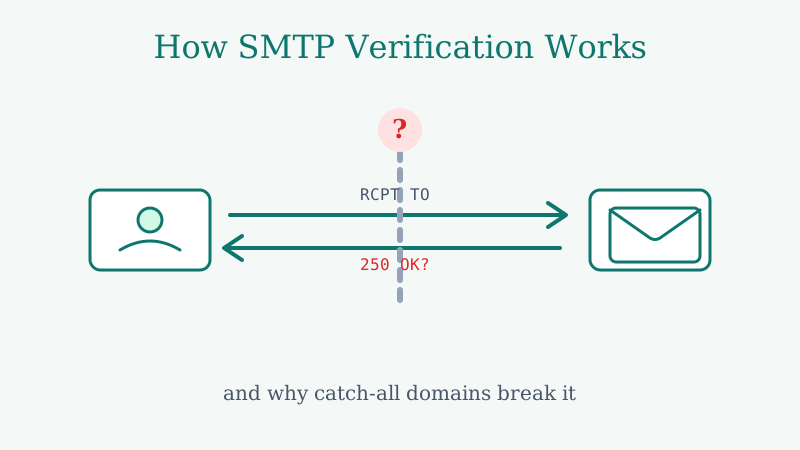
Every email validation tool you have ever used does roughly the same thing under the hood: it tries to hold a quiet conversation with the receiving mail server and asks, in protocol terms, “does this mailbox exist?” That conversation is SMTP verification, and when it works, it is the closest thing to ground truth in email validation.
The catch is that a growing share of mail servers have learned not to answer the question honestly. Understanding exactly where and why that happens is the difference between trusting your validation results and getting blindsided by a bounce report.
This post walks through what actually happens during an SMTP check, the four points where it breaks down, and what you can do when the standard method runs out of road.
The SMTP Handshake, Step by Step
When a validator checks an address like [email protected], it does not send an email. It opens a connection and starts a dialogue that gets interrupted before any message is delivered. Here is the sequence:
- Find the mail server. The validator looks up the MX records for
acme.comto learn which server handles its mail. - Open a connection. It connects to that server on port 25 and waits for a
220greeting. - Introduce itself. It sends
HELO(orEHLO) to identify the connecting host. - Declare a sender. It issues
MAIL FROM:with a return address. - Ask about the recipient. It issues
RCPT TO: <[email protected]>— this is the moment of truth. - Read the verdict, then hang up. A
250 OKsuggests the mailbox is accepted. A550typically means no such user. The validator then sendsQUITand never completes the message.
That RCPT TO response is the entire game. A clean 550 is a confident “this address is dead.” A clean 250 is a confident “this mailbox is real.” For a large slice of the internet, this works exactly as designed, and you get accurate, defensible results.
Where It Quietly Fails
The trouble is that the SMTP spec gives servers wide latitude in how they respond, and modern mail infrastructure exploits that latitude constantly. Four failure modes matter most.
1. Catch-all (accept-all) domains
This is the big one. A catch-all domain is configured to return 250 OK for every address at that domain, whether or not the mailbox exists. The server accepts the recipient at the SMTP layer and sorts out delivery later — or routes everything to a single inbox.
For a validator, this is poison. It asks “does [email protected] exist?” and gets a confident yes. It asks about [email protected] and gets the same confident yes. The server is not lying, exactly; it is just answering a different question than the one you care about. Standard validators have no choice but to label the result “unknown,” “accept-all,” or “risky” and move on.
The problem is that catch-all is not a rare edge case. A substantial share of B2B companies run accept-all configurations, which means a substantial share of your most valuable prospects come back unverifiable.
2. Greylisting
Some servers temporarily reject the first connection from an unfamiliar host with a 4xx “try again later” response. It is an anti-spam tactic: real mail servers retry, most spammers do not. But a validator doing a one-shot check sees the temporary rejection and cannot tell whether the mailbox is bad or the server is just being cautious. (We wrote a full explainer on greylisting here.)
3. Rate limiting and connection blocks
If a validator hammers a server with thousands of RCPT TO probes, the server may throttle it, return generic responses, or block the IP entirely. From that point on, every answer is unreliable, and you may not even realize the data went bad partway through a large list.
4. Deliberately misleading responses
Major providers like Google and Microsoft increasingly obscure mailbox-existence signals to frustrate exactly this kind of probing. They may accept addresses they will later bounce, or return uniform responses regardless of whether the mailbox is live.
Why “Unknown” Is the Most Expensive Word in Validation
Here is the trap. A naive read of validation results treats the list as two buckets: valid and invalid. But SMTP verification produces a third, growing bucket — unknown — and that bucket is where your decisions actually get hard.
If you delete every unknown, you quietly throw away a third or more of your real prospects, most of them sitting behind catch-all domains. If you send to every unknown, you gamble with your bounce rate and your sender reputation. Either way, the validator handed the hard part back to you instead of solving it.
The whole point of validation is to remove guesswork. A tool that punts on catch-all domains has just relocated the guesswork to your shoulders.
What To Do When Standard SMTP Runs Out of Road
The standard handshake is the right starting point, and for consumer mailboxes and clean 550 responses it is all you need. The question is what happens at the boundary, when the server refuses to give a straight answer.
This is the specific problem Scrubby was built to solve. Instead of stopping at the SMTP handshake and labeling catch-all domains “unknown,” it uses deeper verification techniques to determine whether a mailbox behind an accept-all domain is genuinely live. The practical result is that addresses other tools give up on come back with an actual verdict — valid or invalid — so the unknown bucket shrinks instead of growing.
A reasonable workflow looks like this:
- Run the easy cases through standard validation. Syntax checks, known-bad domains, and clean
550responses get resolved fast and cheap. - Escalate the unknowns. The catch-all and accept-all addresses that come back ambiguous are exactly the ones worth a deeper check, because they are disproportionately your real B2B buyers.
- Validate close to send time. Mailboxes decay. A check from three months ago is not a check today, especially for lists you are about to spend money emailing.
Once your list is genuinely verified, the channel still decides whether you book the meeting. Plenty of teams pair a clean list with calendar-invite outreach through Kali to reach prospects who ignore traditional cold email entirely.
The Bottom Line
SMTP verification is elegant, and when the receiving server answers honestly it is the most reliable signal in email validation. But more and more servers — catch-all domains especially — have stopped answering honestly, and a validator that stops at the handshake hands you a pile of “unknowns” that are really just unfinished work.
If your validation reports are full of accept-all and unknown results, the method is not broken — it is just incomplete. Run a sample list through Scrubby and compare the resolved rate against whatever you are using now. The gap is usually obvious by the end of the first upload.

Nick Abraham
Cold Email Expert