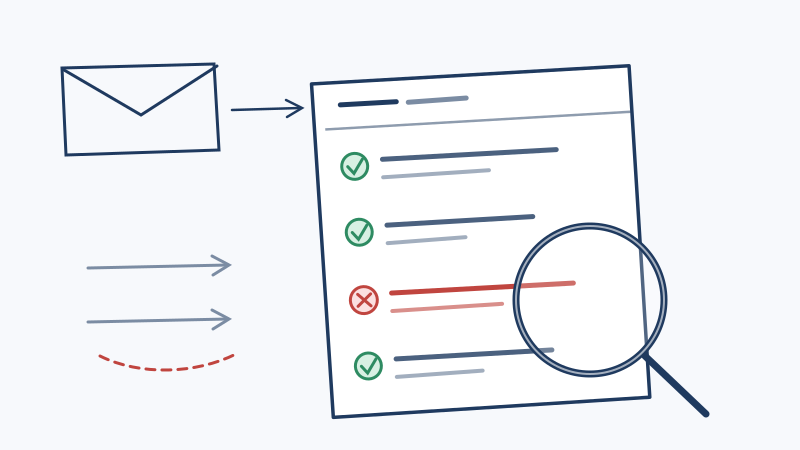
Most senders publish a DMARC record the same way: copy a snippet, paste it into DNS, set p=none, add a rua address, and consider the job finished. Within forty eight hours the reports start arriving, usually as gzipped XML attachments with filenames like google.com!yoursite.com!1760054400!1760140800.xml.gz.
Then nothing happens. The reports pile up in a mailbox nobody opens, and the policy stays at p=none for two years, which means the DMARC record is doing exactly as much spoofing prevention as no DMARC record at all.
The reason is simple. Nobody explains what is inside the file. So here is the whole thing: the structure, the fields that matter, the three patterns you will see in almost every report, and the part of your deliverability problem that these reports will never tell you about.
What a DMARC aggregate report actually is
Your DMARC record has two optional reporting tags:
v=DMARC1; p=none; rua=mailto:[email protected]; ruf=mailto:[email protected]rua requests aggregate reports. ruf requests failure (forensic) reports, which contain redacted copies of individual failing messages. In practice ruf is close to dead: Google, Microsoft, and Yahoo do not send failure reports, because handing third parties the contents of a user’s mail is a privacy problem no legal team wants. Treat ruf as optional and expect almost nothing from it.
Aggregate reports are different, and nearly every large receiver sends them. Each one is a summary covering a reporting window, which is 24 hours by default. It answers one question: for every IP address that sent mail claiming to be your domain during this window, how much mail was there, and did SPF and DKIM pass or fail?
The critical thing to understand is what a report is not. It is not a bounce log, it is not a spam complaint feed, and it does not tell you whether a single message reached an inbox. It is a census of who is sending as you.
The report structure, element by element
Every aggregate report follows the same XML layout. Unzip one and you get three sections.
The metadata block
<report_metadata>
  <org_name>google.com</org_name>
  <email>[email protected]</email>
  <report_id>8273645019283746501</report_id>
  <date_range>
    <begin>1760054400</begin>
    <end>1760140800</end>
  </date_range>
</report_metadata>
org_name is the receiver that generated the report, not the sender being reported on. The date_range values are Unix timestamps, so 1760054400 is a midnight to midnight window. If you are reconciling report data against your own sending logs, convert these first. A large share of “the numbers do not match” confusion is just a timezone offset.
The published policy block
<policy_published>
  <domain>yoursite.com</domain>
  <adkim>r</adkim>
  <aspf>r</aspf>
  <p>none</p>
  <sp>none</sp>
  <pct>100</pct>
</policy_published>
This is the receiver reading your DNS back to you, which makes it a free policy audit. If p here says none but you changed it to quarantine last week, your DNS change did not propagate or you edited the wrong record.
adkim and aspf are the alignment modes, r for relaxed and s for strict. Relaxed means an organizational domain match is enough, so mail.yoursite.com aligns with yoursite.com. Strict means the domain must match exactly. Relaxed is the default and almost always the right choice.
The record blocks
This is the substance. One record element per sending IP per authentication outcome.
<record>
  <row>
    <source_ip>209.85.220.41</source_ip>
    <count>1842</count>
    <policy_evaluated>
      <disposition>none</disposition>
      <dkim>pass</dkim>
      <spf>pass</spf>
    </policy_evaluated>
  </row>
  <identifiers>
    <header_from>yoursite.com</header_from>
  </identifiers>
  <auth_results>
    <dkim>
      <domain>yoursite.com</domain>
      <selector>s1</selector>
      <result>pass</result>
    </dkim>
    <spf>
      <domain>yoursite.com</domain>
      <result>pass</result>
    </spf>
  </auth_results>
</record>
Read it in this order:
source_ippluscount. Who sent, and how many messages. Resolve the IP before you panic. Most unfamiliar IPs belong to a tool your marketing team signed up for.auth_results. The raw SPF and DKIM outcomes, with the domains they authenticated.policy_evaluated. The outcome after alignment is applied.disposition. What the receiver actually did:none,quarantine, orreject.
The trap that catches everyone
auth_results and policy_evaluated can disagree, and when they do, policy_evaluated is the one that decides delivery. This record is the single most misread pattern in DMARC:
<row>
  <count>417</count>
  <policy_evaluated>
    <dkim>fail</dkim>
    <spf>fail</spf>
  </policy_evaluated>
</row>
<identifiers>
  <header_from>yoursite.com</header_from>
</identifiers>
<auth_results>
  <spf>
    <domain>sendingtool.net</domain>
    <result>pass</result>
  </spf>
</auth_results>
SPF passed. DMARC still failed. Nothing is broken in the SPF record itself.
The failure is alignment. SPF authenticated sendingtool.net, taken from the envelope sender, but the visible From: header says yoursite.com. DMARC requires the authenticated domain to match the header From domain, so an SPF pass for somebody else’s domain earns you nothing. This is the default behaviour of almost every email platform until you complete custom domain authentication, and it is why “we set up SPF, why is DMARC failing” is the most common question in this entire topic.
The fix is never to loosen DMARC. It is to make the platform sign with a DKIM key on your domain, or to configure a custom return path so SPF authenticates your domain. DKIM is the more durable of the two because it survives forwarding.
The three patterns in every report set
Once you can read a record, pattern matching is fast. Aggregate your reports across a week and sort sources by volume. Everything falls into one of three buckets.
Pattern one: your own senders, failing
High volume, an IP range that resolves to a vendor you recognise, consistent failures. This is unfinished configuration, not an attack, and it is the bulk of what you will find on week one. The remediation is per platform: enable DKIM signing for your domain in that vendor’s dashboard, publish the CNAMEs or TXT records they give you, wait for propagation, then confirm the next report shows policy_evaluated DKIM as pass.
Keep a sender inventory as you go. The deliverability value of DMARC reporting is often just this: an authoritative list of everything on earth that sends as your domain, including the platform a contractor set up in 2022 and never mentioned.
Pattern two: forwarders and mailing lists
Low volume, SPF failing, DKIM passing, and the source IP resolves to a university, a mailing list host, or a corporate gateway. This is legitimate mail that got relayed.
Forwarding breaks SPF by design, because the relaying server is not in your SPF record. DKIM usually survives, since the signature covers the message body and selected headers rather than the connecting IP. A mailing list that rewrites the subject line to add [list-name] will break DKIM too, which is exactly the scenario ARC was designed to address.
Do not chase these. A record with DKIM pass and SPF fail is a DMARC pass, and the message is delivered. Chasing forwarder failures to zero is the most common way senders waste a month on DMARC.
Pattern three: actual spoofing
Scattered IPs, often in unrelated countries and hosting providers, everything failing, volume that does not correlate with any campaign you ran. No DKIM signature at all is the strongest signal, since a spoofer has your domain name but not your private key.
This is what DMARC enforcement exists to stop. It is also the pattern that makes the business case for moving off p=none, because at p=none every one of those messages was delivered to someone who believed it came from you.
From reading reports to enforcing policy
The point of reading reports is to earn the confidence to enforce. A practical sequence:
- Run
p=nonefor two to four weeks and collect reports. Shorter than that and you miss monthly sends such as invoices and newsletters. - Inventory every legitimate source and fix each one until it shows aligned DKIM.
- Move to
p=quarantine; pct=10. Thepcttag applies the policy to a sample, so a mistake affects a tenth of the traffic. - Watch two reporting cycles. If no legitimate source appears in the quarantined set, raise
pctto 25, then 50, then 100. - Move to
p=reject, again starting with a lowpct.
Use sp to set a separate subdomain policy. A common strong configuration is p=quarantine; sp=reject, because the parent domain carries messy legacy senders while subdomains you never send from should be hard blocked.
One operational note: send rua to a mailbox nobody uses for anything else, or to a dedicated analyzer service. Reports arrive daily from dozens of receivers, and dropping them into a shared inbox guarantees they get filtered and ignored.
What DMARC reports will never tell you
Here is the limit that catches senders who have done all of the above correctly.
A DMARC aggregate report describes authentication, not audience. A record showing a thousand messages with aligned DKIM and SPF tells you a thousand messages were cryptographically proven to come from you. It says nothing about whether the addresses you sent to exist, whether they belong to real people, or whether they generated a hard bounce on arrival.
That distinction matters because perfect authentication and a bad recipient list produce the same end result. Authentication gets you past the identity check at the door. Your list quality determines what happens after that. A domain with flawless SPF, DKIM, and DMARC alignment that sends to a list with a twelve percent bounce rate still accumulates reputation damage, because mailbox providers weigh bounce rate and complaint rate as heavily as they weigh authentication.
So you need both signals. The reports cover one side. For the other, the addresses themselves have to be verified, and the hardest segment is the one standard SMTP verification cannot resolve: catch-all domains that accept every connection, so a probe returns neither valid nor invalid. Standard tools label those “risky” or “accept-all” and hand them back to you unanswered. Scrubby’s deep verification runs inbox level testing on exactly that segment over a 48 to 72 hour window and returns a definitive valid or invalid result, which typically recovers a large share of a list most senders were about to delete. If your sending domain has already taken reputation damage, the Blacklist Monitor in Scrubby’s product suite tracks your domains and IPs against more than 100 blacklists so you find out from a dashboard instead of from a silent drop in replies.
A reasonable cadence is to treat them as one review: read the week’s aggregate reports to confirm nothing new is sending as you, then confirm your next send list has been cleaned. Both are cheap to check. If you want to try the list side on a real segment first, the free tier includes 200 validation credits with no card required, which is enough to score a sample of your risky addresses and see what the authentication reports were hiding.
The short version
- Aggregate reports are a daily census of every IP sending as your domain, not a delivery log.
- Read each record in order: source IP and count, then
auth_results, thenpolicy_evaluated. - When those last two disagree, the cause is almost always alignment, and the fix is DKIM signing on your own domain.
- DKIM pass with SPF fail on a forwarder is a DMARC pass. Leave it alone.
- Scattered IPs with no DKIM signature at all is the spoofing you published DMARC to stop.
- Move off
p=noneusingpctto ramp, and setsp=rejectfor subdomains you never send from. - Authentication proves who you are. It does not prove the address you sent to exists, so pair report review with list validation.

Nick Abraham
Cold Email Expert