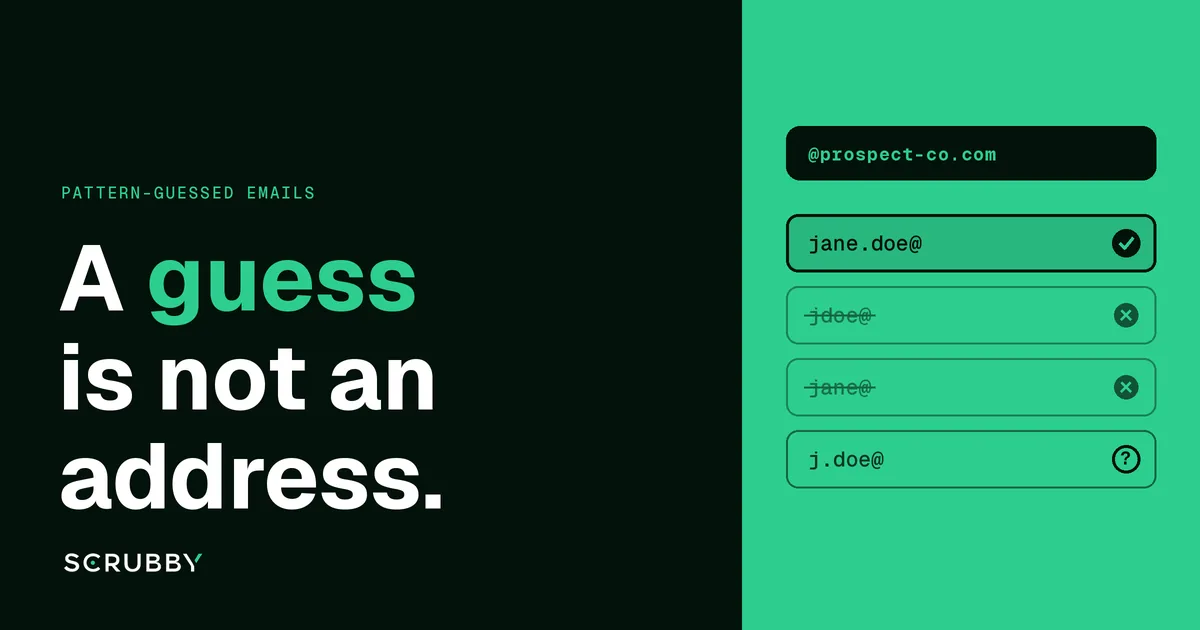
A pattern-guessed address is a hypothesis, not a contact. Before it goes into a campaign, verify one best guess per person: a handshake check settles it on most standard domains, and catch-all domains need a check that goes further than the handshake. Sending to every permutation and waiting to see what bounces is the most expensive way to find out.
Most B2B prospecting tools, and plenty of manual researchers, fill gaps the same way. You know the person’s name and the company domain. You know, or assume, how that company formats addresses. So you write [email protected] and move on.
It works often enough that teams stop treating it as a guess. That’s the problem. This guide covers how pattern guessing works, the four beliefs that make it risky, and a workflow that turns guesses into addresses you can send to without putting your domains on the line.
How Pattern Guessing Works
Companies set their address format once and usually apply it to everyone. If you can find a few real addresses at a company, on its website, in a press release, in an email signature, you can predict the rest.
These are the formats you’ll run into most:
| Pattern | Example for Jane Doe | Notes |
|---|---|---|
| first.last | jane.doe@ | A very common corporate default |
| flast | jdoe@ | Common at older and larger companies |
| first | jane@ | Common at small companies and startups |
| firstl | janed@ | Often used to separate people with the same first name |
| first_last | jane_doe@ | Less common, still appears |
| last.first | doe.jane@ | Seen in some regions and some public-sector bodies |
Email finder tools automate this. They learn the pattern for a domain from addresses they’ve seen, generate a candidate, and often attach a confidence score. Some run a verification check as well, some don’t, and the export doesn’t always make clear which happened.
Myth 1: “If the Server Accepts It, the Guess Is Right”
A standard verification check connects to the domain’s mail server and asks whether a mailbox exists, without sending anything. On a normal server, a wrong guess gets rejected and a right one gets accepted. That’s useful, and on those domains it settles most guesses in seconds. How SMTP verification works, and where it fails walks through the exchange.
Catch-all domains break this. A catch-all server, also called accept-all, says yes to every address at the domain, real or not. Ask it about jane.doe@, jdoe@ and xq7z@ and you get the same answer three times. The check isn’t wrong. The server just isn’t telling it anything.
So when a finder or verifier marks a pattern-guessed address at a catch-all domain as “accepted”, it hasn’t confirmed your guess. It has confirmed the domain accepts mail. For the background, see what a catch-all email account is.
Myth 2: “The Company’s Pattern Works for Everyone There”
Even when you know the pattern for certain, individual addresses break it:
- Two people with the same name. The second Jane Doe often becomes
jane.doe2@,janed@orjane.m.doe@. - Name changes and nicknames. A person who goes by a short name, changed their surname or has a hyphenated name may not match what’s on their profile.
- Old and new formats side by side. Companies that change their format often keep long-serving staff on the old one.
- Acquisitions and subsidiaries. The person’s address may still be on the domain of the company that was bought, not the parent’s.
- Regional offices. Some groups run separate domains or formats by country.
The pattern gives you the most likely address for a person. It doesn’t give you their address. The gap between those two is exactly what a verification step is for.
Myth 3: “Just Send to Every Permutation and See What Bounces”
This one sounds efficient. Generate five versions, send the first email to all of them, and keep whichever doesn’t bounce.
In practice it’s the worst of all options:
- You multiply your bounces. If one of five guesses is right, the other four are your bounces, sent from your own domains. Bounces are one of the clearest signals inbox providers use against a sender.
- Catch-all domains don’t bounce cleanly. On the domains where you most need an answer, the server accepts all five, so you learn nothing and four messages sit in a catch-all inbox or bounce days later.
- The right person may get it twice. Some companies route several formats to the same mailbox. Getting the same cold email at two addresses looks careless at best.
- It wrecks your data. Your sequencer now holds five contacts for one person, and follow-ups go to all of them.
If you’re tempted by this approach, run the permutations through verification instead. Same question, but the testing happens off your sending domains.
Myth 4: “A Confidence Score Means the Address Is Verified”
Finder tools score how likely a guess is, based on how sure they are of the domain’s pattern. That’s an estimate of the pattern, not a check on the person. A high score at a catch-all domain is still unconfirmed. A low score at a standard domain might verify in seconds.
Treat the score as a way to rank guesses. Treat verification as the thing that decides whether you send.
A Workflow That Settles One Guess per Person
Here’s the process we recommend for any list built wholly or partly from guessed addresses.
1. Gather Evidence for the Pattern
Before guessing, look for two or three real addresses at the company from public sources, or from people at that company you’ve already verified. One confirmed address tells you the format. Two from different people tell you it’s applied consistently. Record the pattern per domain so the next person at that company is quicker.
2. Generate One Best Guess, Not Five
Pick the most likely format for each person and verify that first. Only move to the second most likely format if the first comes back invalid. On standard domains this usually ends after one or two checks. It also keeps your credit spend tied to the people you actually want to reach.
3. Clean the Structure
Remove duplicates, fix obvious typos in names, and strip accents and characters most mail systems won’t accept in an address. Our deduplication and alias normalization guide covers this step. Flag role addresses like info@ or sales@ separately; they’re not guesses about a person. See whether to validate or remove role-based addresses.
4. Run Quick Verification on Every Guess
Quick Verification costs 1 credit per email and finishes in minutes, using a handshake plus a catch-all probe. On standard domains, it tells you whether the guess exists. Invalid guesses go back to step 2 for the next pattern. Valid ones are ready.
5. Send the Uncertain Ones to Deep Verification
Guesses that stay uncertain, which on a B2B list are often the ones at catch-all domains, go to Deep Verification. It costs 3 credits per email. Scrubby sends a real blank message from its own warmed infrastructure, never your domains, and watches how the receiving server behaves for 72 hours, including bounces that arrive days later. Most addresses resolve in the first 24 hours. How long catch-all verification takes explains the timing.
This is where pattern guessing and verification fit together. The send happens, but on Scrubby’s infrastructure, and it happens once per guess you actually need answered rather than five times from your own mailboxes.
6. Send Only What’s Resolved
Addresses that come back valid go into your campaign. Invalid ones go back for the next pattern, or out. Anything still unresolved stays out of your main campaign. If you do want to reach those people by email, follow the containment rules in is it bad to cold email catch-all addresses: separate campaign, secondary domains, lower volume, close watch on bounces.
What the Arithmetic Looks Like
Credits make the difference between the two approaches easy to see. These are the published rates: 1 credit for Quick Verification, 3 for Deep.
- Every permutation through Deep Verification: five patterns × 3 credits = 15 credits per person.
- One best guess, Quick first, Deep only if uncertain: 1 credit, plus 3 more if it needs Deep, plus another round only if the guess turns out invalid.
How many guesses end up needing Deep Verification depends on how many of your target companies run catch-all servers, and that varies from list to list. Work it out on a small sample of your own before you budget a large run. Current credit prices are on the pricing page.
Mistakes to Avoid
- Mixing guesses with confirmed addresses in one column. Keep a field that records how each address was found. When bounces rise, you’ll want to know whether guessed rows caused it.
- Trusting a finder’s “verified” label without knowing what it checked. Ask whether the tool ran a catch-all check, and what it does with accept-all results.
- Re-guessing the same company every time. Store the confirmed pattern per domain and reuse it.
- Forgetting guessed addresses are still personal data. A work address built from a name identifies a person. Your obligations don’t change because you constructed it yourself. Our GDPR-compliant validation guide covers the basics.
- Verifying once and assuming forever. People leave companies, and their guessed address becomes a bounce. Re-verify before each new campaign.
Where This Fits in Your Stack
If you build lists in a finder or enrichment tool and send through a sequencer, verification belongs between the two. Export the guessed addresses, verify them, and import only the resolved ones. Our guide to validating lists before Instantly or Smartlead campaigns covers the handoff, and the purchased and scraped list audit applies if your guesses came from a vendor.
FAQ
Is it okay to guess someone’s email address for cold outreach? Guessing the format is common practice. What matters is that you verify the guess before sending, follow the outreach rules that apply where your prospects are, and stop when someone asks you to.
What is the most common business email format? first.last@ is a very common corporate default, but formats vary by company size, age and region. Confirm the pattern from real addresses before you rely on it.
Why does my verifier say every pattern is valid? The domain is probably catch-all. Its server accepts every address, so a handshake check can’t tell a right guess from a wrong one. Those results need a check that goes beyond the handshake.
Should I send to multiple email permutations at once? No. The wrong guesses become bounces on your own domains. Verify the permutations instead and send only to the one that resolves.
How do I verify a pattern-guessed email at a catch-all domain? Run Quick Verification first. Anything still uncertain goes to Scrubby’s Deep Verification, which sends a blank message from Scrubby’s own infrastructure and watches the server’s behaviour for 72 hours.
Have a list of guessed addresses you’re not sure about? New Scrubby accounts start with 200 free credits, and no card is required. See pricing.

Amit S.
Marketing Lead